6 min
6 min 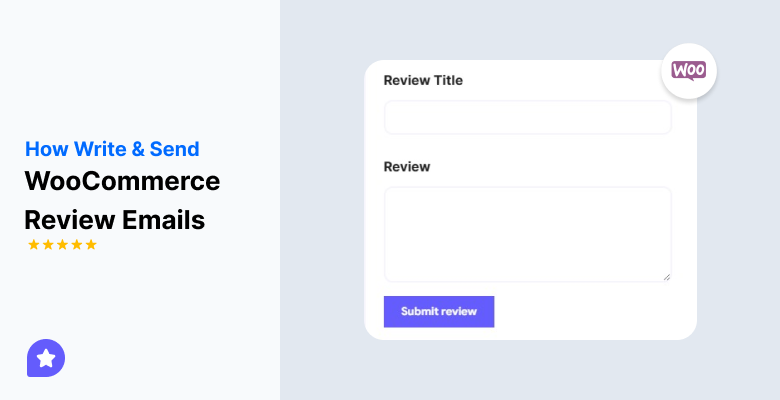
You made a sale. The order arrived. Your customer has already used the product.
This is the right time to request a review, but the reality is that most customers will not do this. They will get busy and forget, and your shop will likely lose a valuable review that could have helped create trust with potential new customers.
WooCommerce product review emails handle this for you. They send a simple follow-up message after each order and help you collect steady reviews without extra work.
This guide demonstrates how to write and automate these emails within your store.
Why Review Emails is important
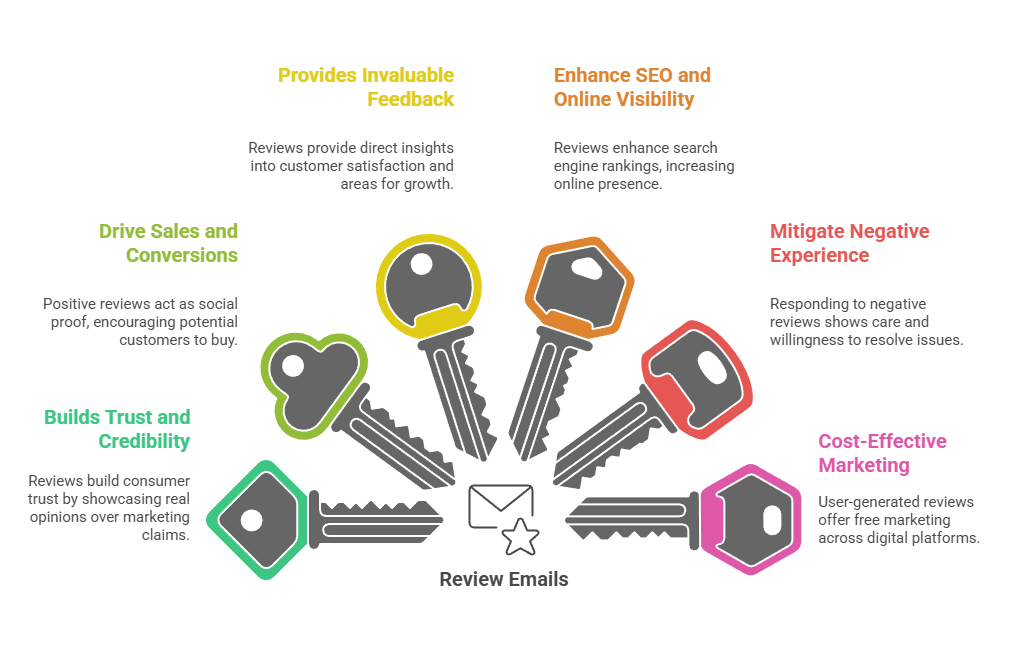
Review emails turn delighted customers into advocates of your store. When customers submit their review, it does three things: it builds trust with potential shoppers of your products, it improves your product pages’ search ranking, and it increases your conversion rate.
Without an automated review request, you are leaving money on the table. Most customers need the nudge.
A timely email with a direct link to your review request form makes it easy for customers to find the time to respond. Stores with hundreds of reviews have a system, and stores with very few reviews need a system.

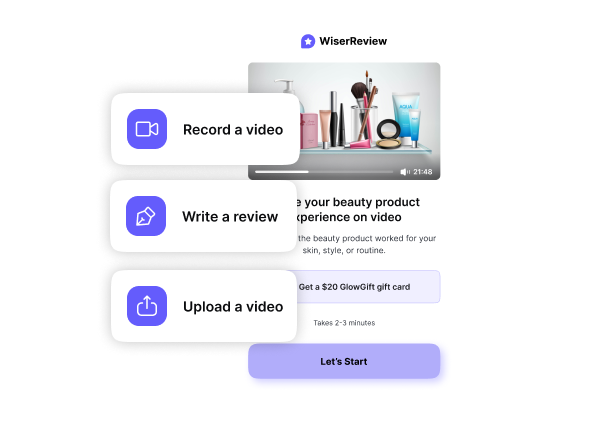

All your reviews in one place
Collect reviews, manage every response, and display them where they matter most.
Step-by-Step: Automating Review Emails in WooCommerce
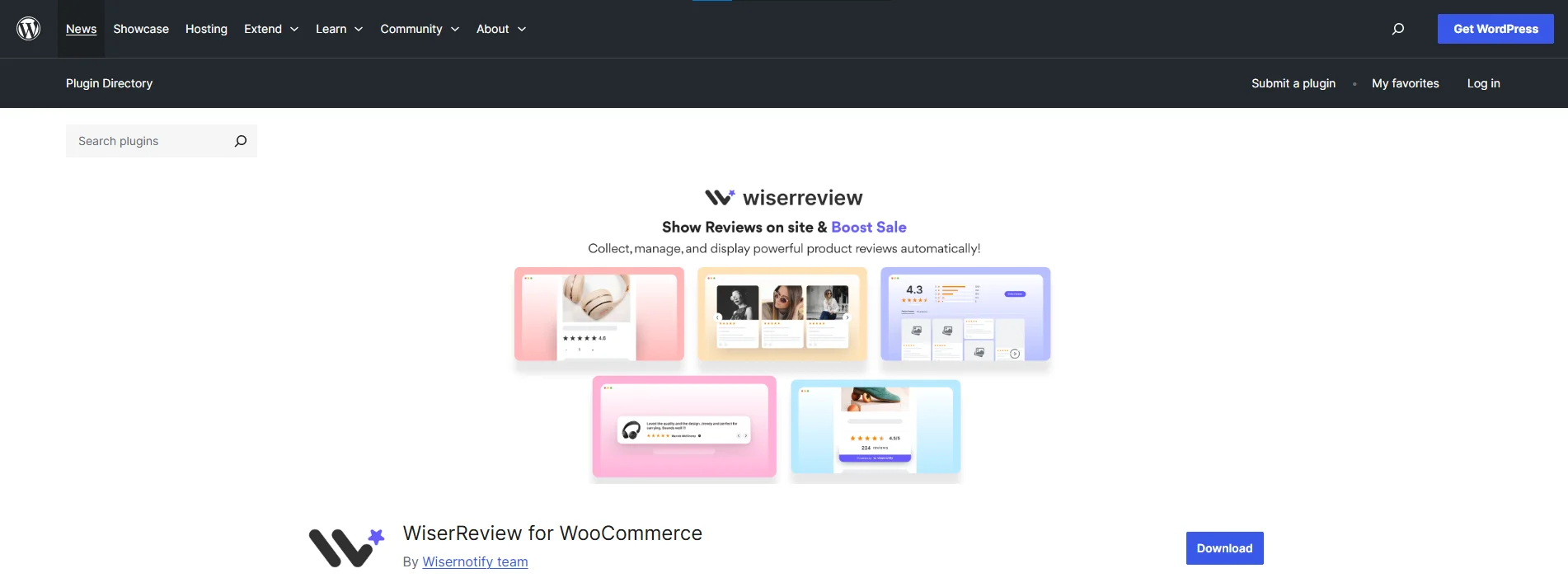
Once you’ve installed and configured the WiserReview WooCommerce module, you can automate review emails in WooCommerce without sending manual emails.
First, sign up for WiserReview and log in to your dashboard.
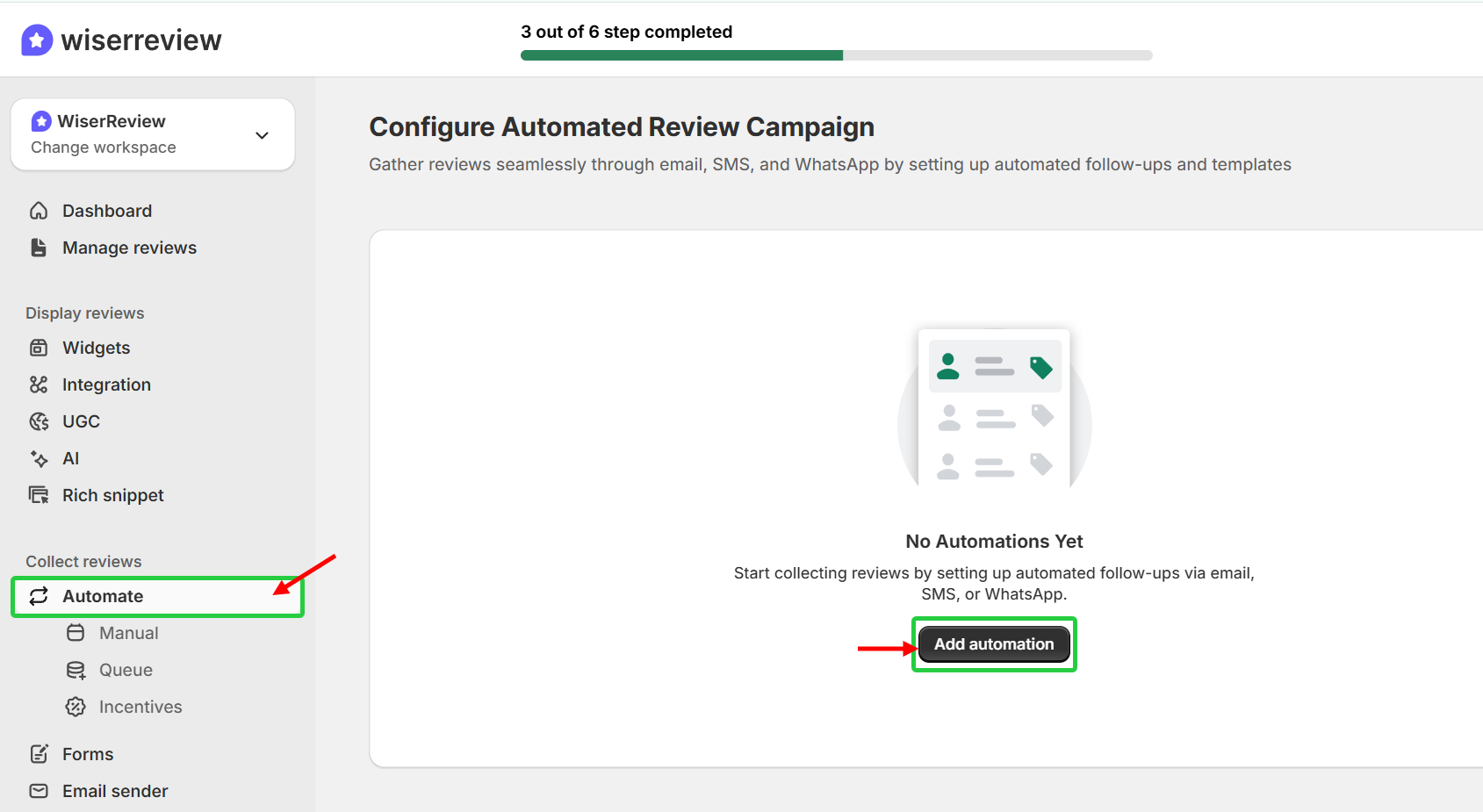
Step 1: Go to the “Automate” Module in your WiserReview dashboard
Now select “Automate” and click “Add Automation”.
Now configure “WooCommerce”. In “Add Automation,” select “WooCommerce” and then click “Configure”.
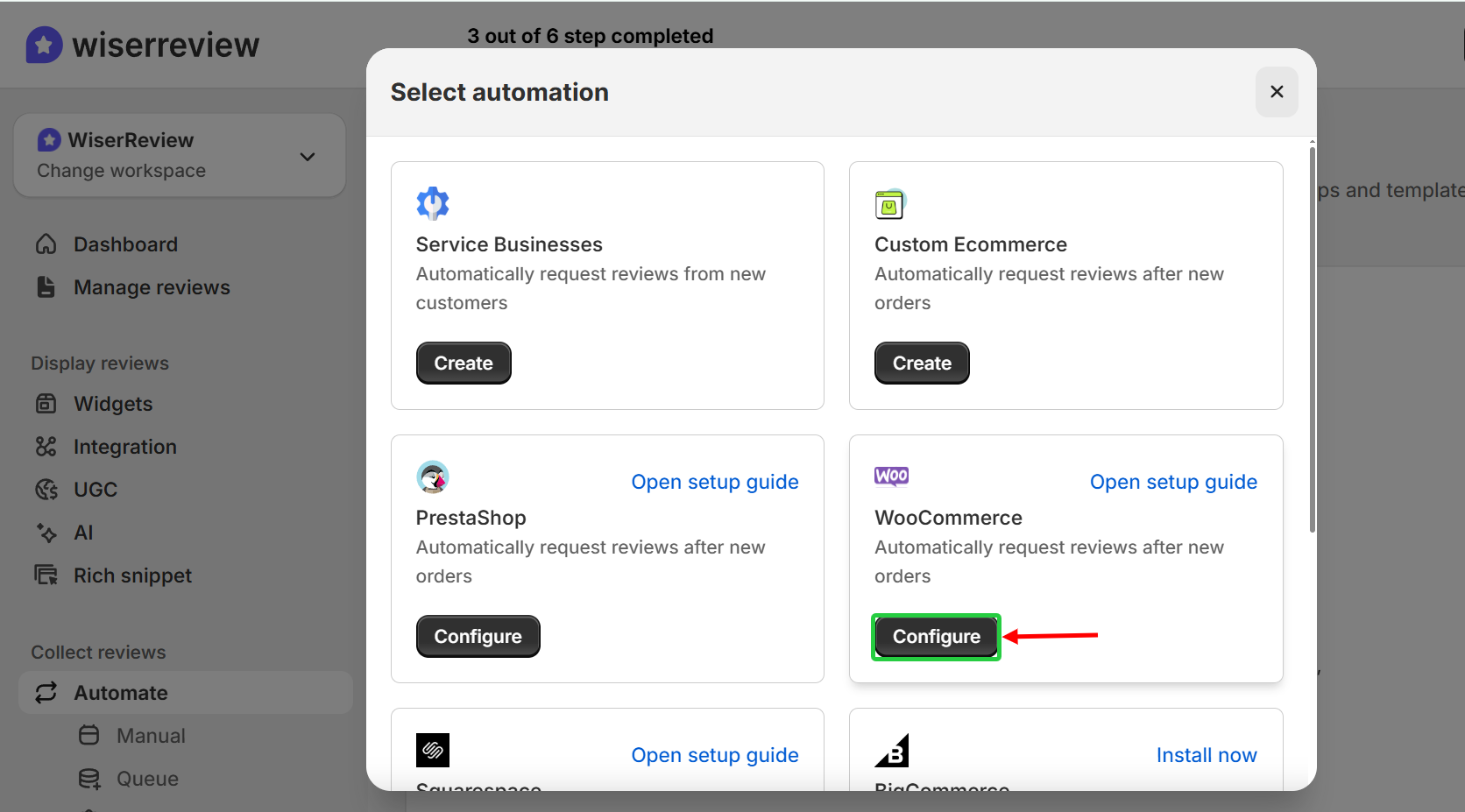
Step 2: Now, connect your WooCommerce store with 3 setup Steps
After clicking on “Configure”, you’ll see a pop-up with 3 setup steps.
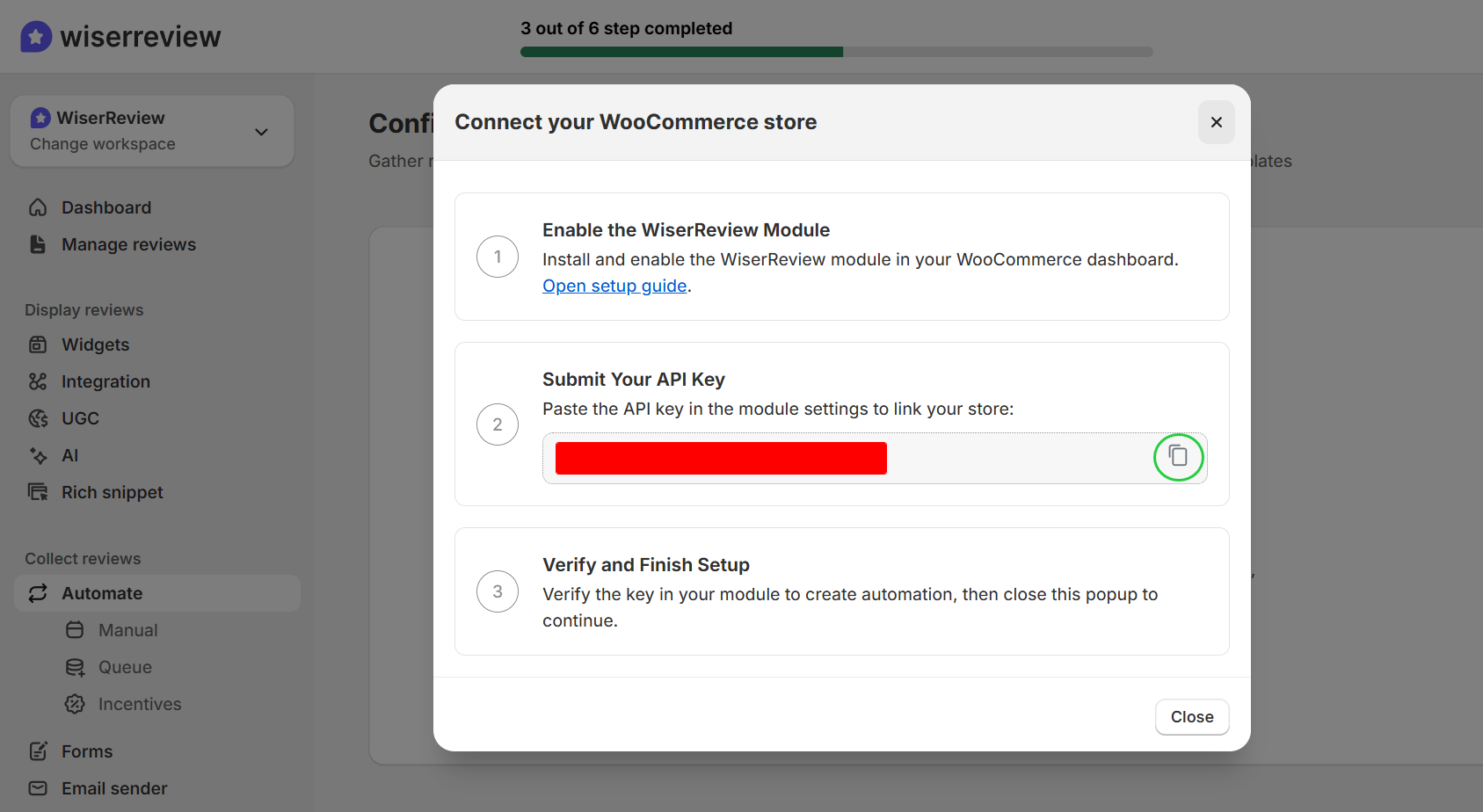
- Install the Wiserreview Plugin
- Submit Your API Key: Copy the “API key’ shown in the pop-up and paste it into the API Key field inside the WiserReview module settings in WooCommerce.
- Verify and Finish Setup: After saving the key in your WooCommerce backend, return to WiserReview. Close the pop-up and continue to the next step.
Step 3: Set up when to send review emails
When you change the order status to “completed” in your WooCommerce store, the order data is automatically pushed to the WiserReview automation campaign for collecting reviews.
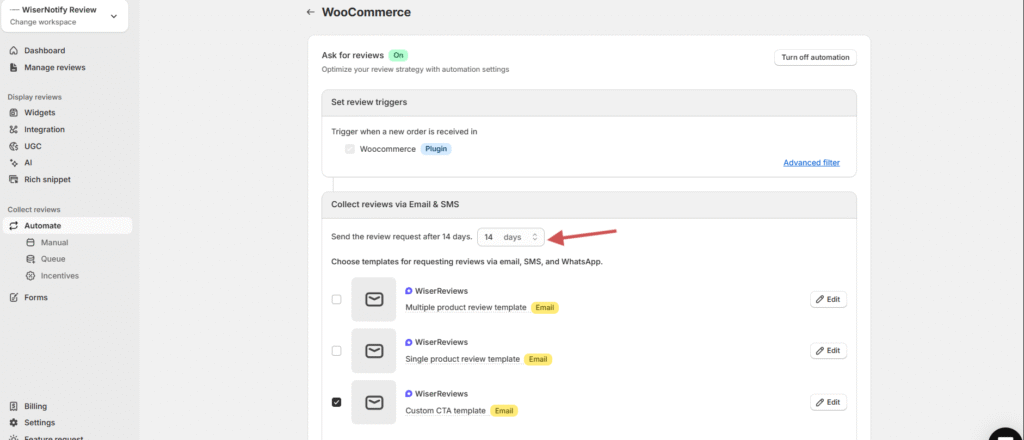
Choose how many days after the order is placed to send the review emails.
Example: Send after 7 days to give time for delivery.
Step 4: Collect Review Via Email or SMS
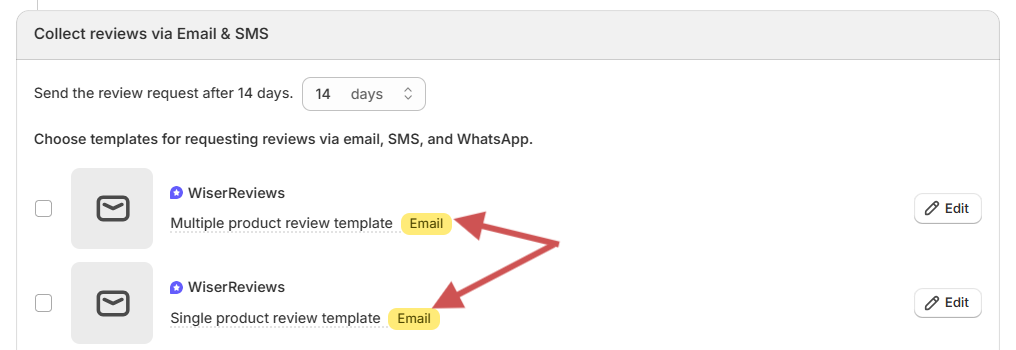
Select one of the available Email templates:
- Single product review
- Multiple product reviews
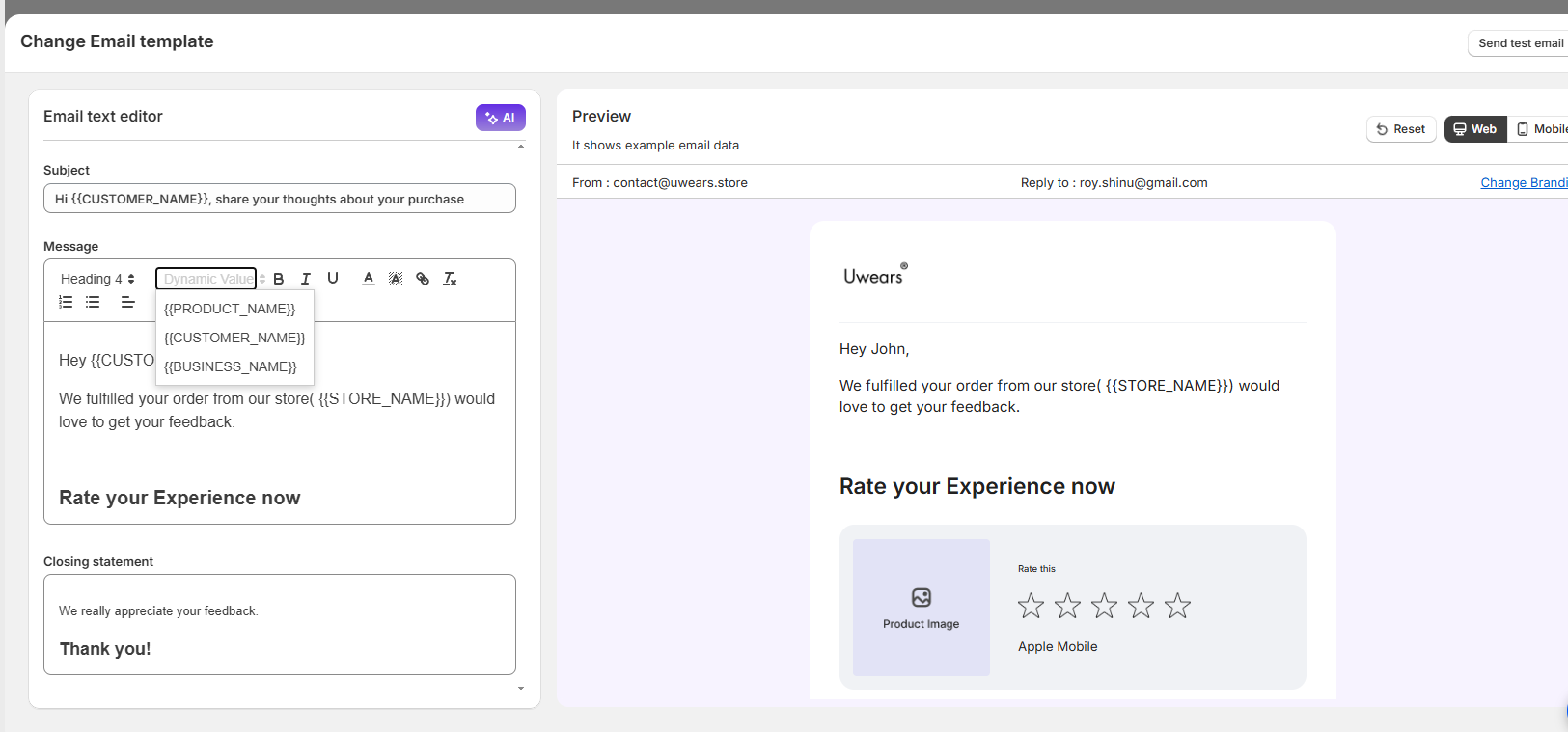
Click Edit to: Update content, Add branding. Use dynamic tags like {customer_name}, {product_name}, {review_link}
Click Send Test Email inside the editor to preview the message.
Enable Additional Channels (Optional)
Connect your WhatsApp & SMS channels or tools to send review requests, and add a message template for WhatsApp or SMS in your marketing channel.
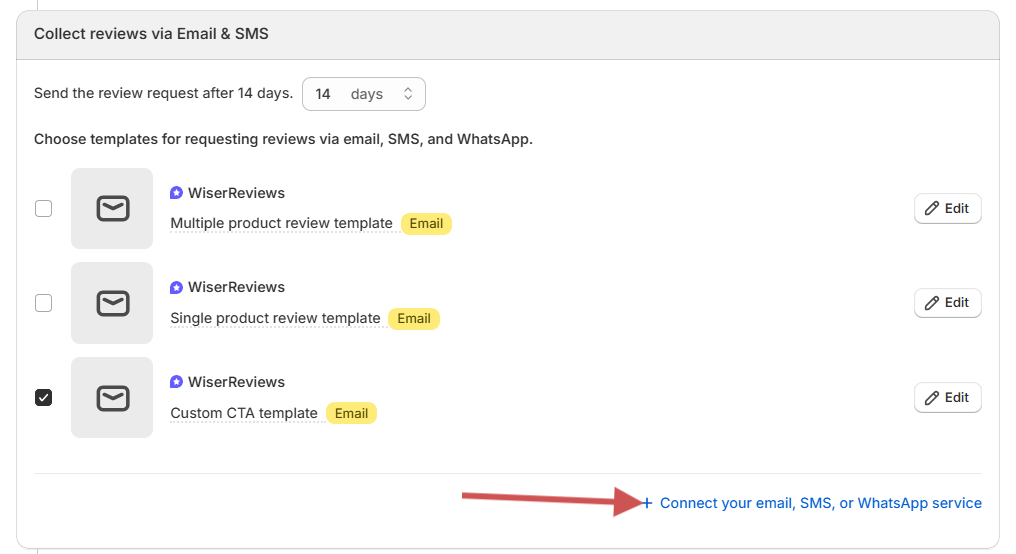
Step 5: Enable Reminder Emails (optional)
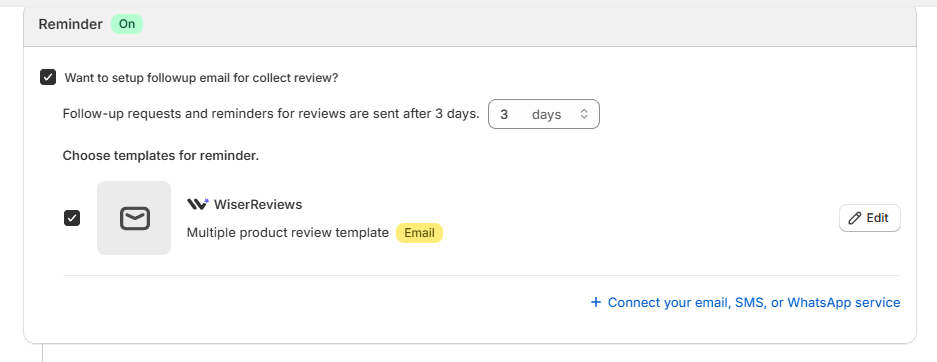
Turn on the Reminder toggle. Set how many days later the reminder should be sent (e.g., 3 days after the first email)
Select your reminder template and click ‘Edit’ to customize it. Test the reminder email using the Send Test Email button.
Step 6: Final Testing and Activation
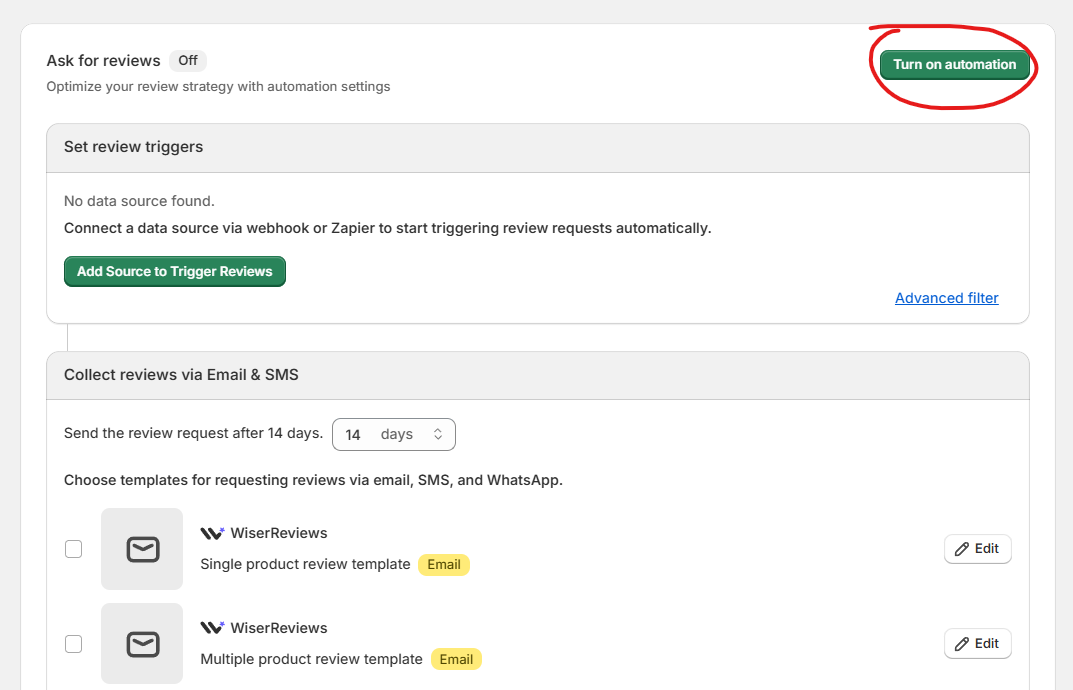
Ensure you’ve tested the following: the first review request email, the Reminder email (if used), and the Media follow-up email (if used).
After testing, click Save. Ensure the automation is set to ON.

All your reviews in one place
Collect reviews, manage every response, and display them where they matter most.
Start Free →What Makes a Great WooCommerce Review Email
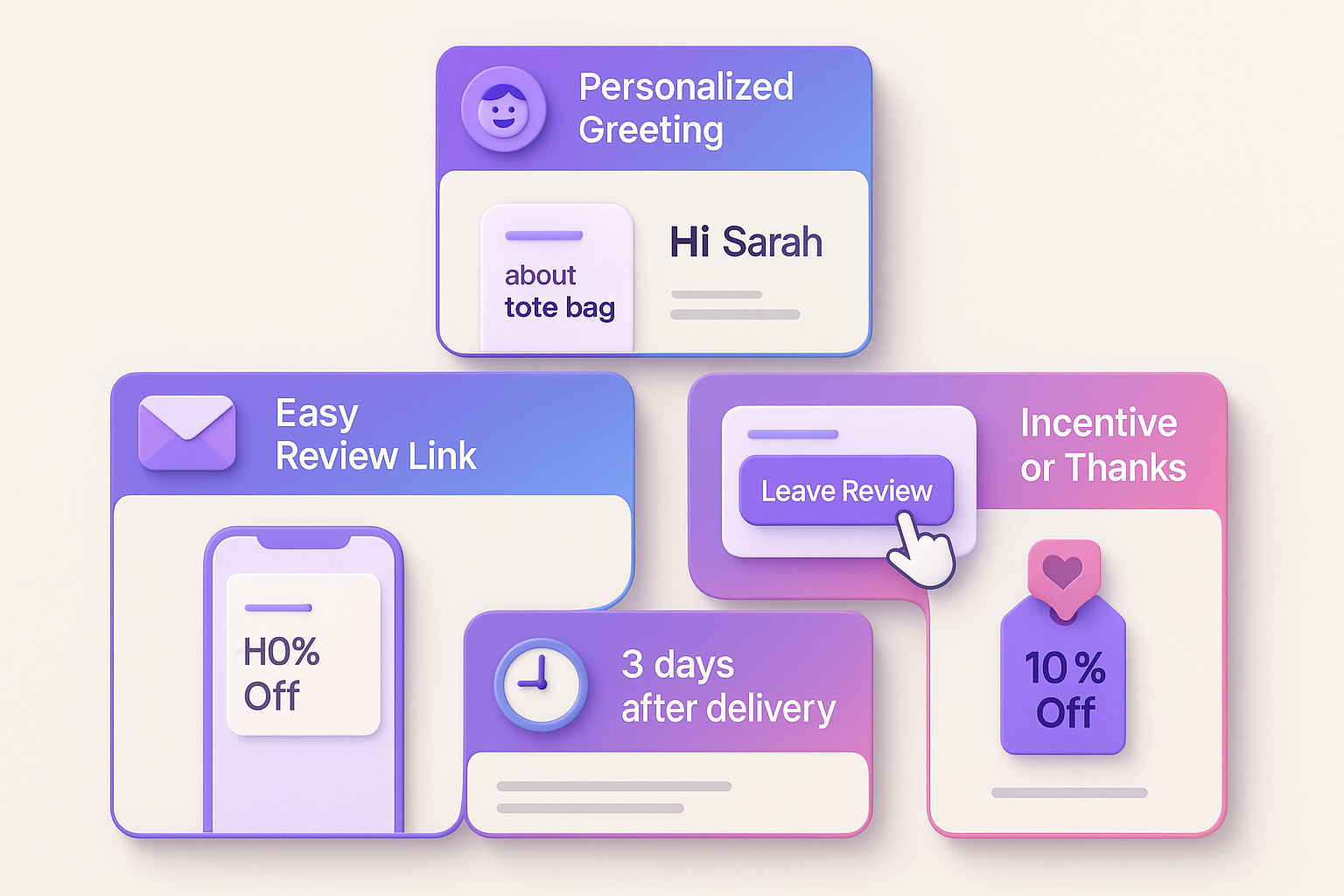
Great WooCommerce review emails feel personal, not automated. They arrive at the right moment, make leaving a review effortless, and show appreciation for the customer’s time.
Clear subject line
Use a friendly, conversational tone like “How’s your new [Product Name]? or “Could you share your thoughts?” to engage the recipient.
Keep it short enough for mobile to display the entire subject, ideally under ~40-50 characters in length. Avoid overly “salesy” language. Be genuine about wanting feedback.
Personalized greeting
People often ignore generic emails, use the customer’s first name, and mention their order.
Instead of: Dear Customer, Thank You for your purchase…
Write: Hi Sarah, we hope you are happy with your Organic Cotton Tote!
Make the tone warm and human rather than formal or robotic.
Easy review link
If you make it difficult to leave a review, you will receive fewer reviews. Your call-to-action button should link to the review page directly, not just to your homepage or product page where your customers have to locate it by scrolling.
- Use a large, prominent button, not a text link.
- You should title it “Leave Your Review” or “Share Your Feedback”.
- The link has to open the review page with the product name automatically filled in.
Incentive or thank-you
You need to express a warm and sincere appreciation for your customer’s time and the fact that they took the time to leave you feedback; the review matters to you.
Suppose an incentive program is to be mentioned (such as a discount or reward points). In that case, it should be stated upfront, and the message should be ethical (feedback is welcome, including negative comments).
Timing and tone
Timing matters more than store owners typically realize. If you send the review too soon after purchase, the customer will likely not have had the chance to use the product; if you send it too late, they probably have forgotten about the experience.
You want to keep the review wording simple, scannable, and keep it focused on one goal (the review). The review link should have no extra promotion or marketing clutter for the customer.
You may want to use a friendly, human tone; avoid coming across as pushy or demanding a review, as we need to respect their time.
7 Effective WooCommerce Review Email Templates
Copy, customize, and use these templates in your WooCommerce store. Each one serves a different purpose and audience.
Template 1: Simple and Direct
Subject: Quick question about your [Product Name]
Hi [Name],
How’s your [Product Name] working out?
We’d love to hear your thoughts. Can you share your experience with us?
[Leave Your Review Button]
Thanks for being an awesome customer! [Your Store Name]
Template 2: With Incentive
Subject: Share your thoughts, get 10% off
Hi [First Name],
Thanks for choosing [Your Store Name]!
We hope you’re loving your [Product Name]. Would you mind sharing a quick review?
As a thank-you, here’s 10% off your next order.
[Leave Your Review Button]
Your code: “REVIEW10” (expires in 30 days)
Cheers, [Your Store Name]!
Template 3: Social Proof Focus
Subject: Help other shoppers like you
Hi [First Name],
Quick question: Would you recommend [Product Name] to a friend?
Your review helps others make confident decisions.
Additionally, we thoroughly review every single one to continually improve our products.
[Share Your Experience Button]Thanks for your support! [Your Store Name]
Template 4: Follow-Up (if no response to first email)
Subject: Still curious about your [Product Name]
Hi [First Name], We sent an email last week, but we haven’t received a response.
No pressure, but if you have 60 seconds, we’d genuinely appreciate your feedback on [Product Name].
[Leave a Quick Review Button]
Thanks, [Your Store Name]
Template 5: Multi-Product Order
Subject: Your feedback on each order.
Hi [First Name],
Thanks for your recent order! We’d love to know how everything arrived.
Your order included:
[Product 1] → [Review Link]
[Product 2] → [Review Link]
[Product 3] → [Review Link]
Click any product to share your thoughts.
Appreciate you! [Your Store Name]
Template 6: Photo Review Request
Subject: Show off your [Product Name]!
Hi [First Name],
We’d love to see how customers use [Product Name]. Would you share a review with a photo?
We’ll feature it on our site and give you 15% off your next order.
[Upload Your Photo Review Button]Can’t wait to see it! [Your Store Name]
Template 7: VIP/Repeat Customer
Subject: Your opinion matters to us, [First Name]
Hello [First Name],
Hope you’re doing well. You’ve been with us for a while, and we appreciate your loyalty.
As one of our valued customers, your feedback on [Product Name] is our pride and holds great importance.
What did you think? [Share Your Thoughts Button]Thank you for being part of our community. [Your Store Name]
Use these as starting points. Adjust the tone, length, and incentive based on your brand and audience.
5 Best Practices for WooCommerce Review Emails
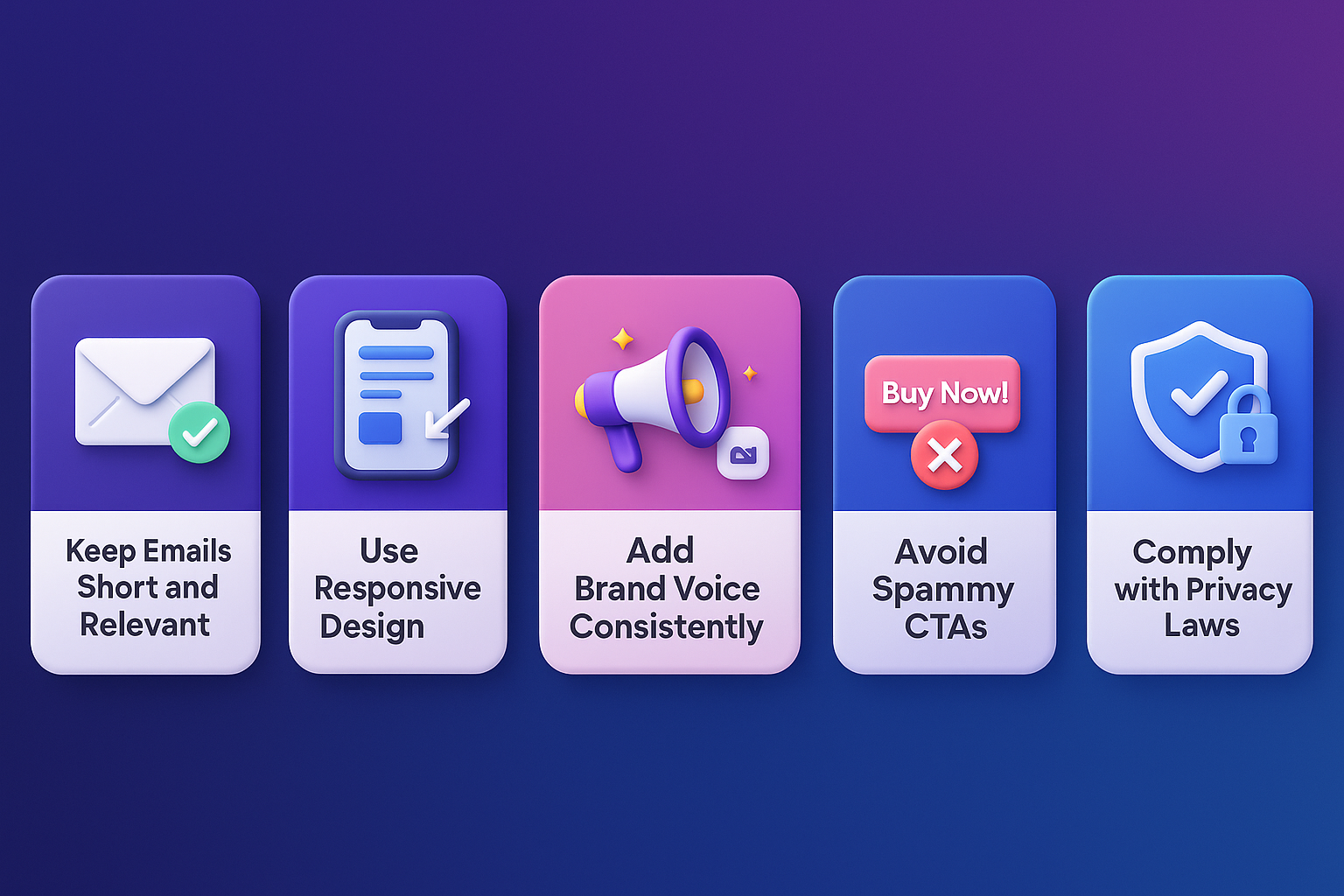
Here are five key practices that can help your review-request emails work more effectively. Use them to drive more replies and build stronger trust with your customers.
1. Keep emails short and relevant
Customers won’t read a novel. Your review request should take approximately 10 seconds to read and 60 seconds to respond to.
Stick to one main ask: asking for a review. Remove extra offers or long stories. Studies show shorter emails get better Reply Rates because readers don’t feel overloaded.
2. Use responsive design for mobile users
The majority of users check their emails on their mobile devices. Your review email must resemble perfection on small screens.
A mobile-friendly email structure (that’s readable, uses a single-column layout, and has a large enough button) will translate well to any device.
Mobile-friendly checklist:
- Single-column layout
- Buttons at least 44×44 pixels (easy to tap)
- Font size 14px minimum for body text
- Images that scale automatically
- Review the link that opens smoothly on mobile browsers
3. Add your brand voice consistently
Your email should come from you, not a generic system. Use your brand’s tone, colours, and style. That builds recognition and trust, which boosts the chances someone will respond.
Consistency builds trust. Customers should recognize it’s from you the moment they open the email.
4. Avoid spammy words or overused CTAs
Over-promising, using excessive exclamation marks, or employing vague CTAs (“Click here now!!!”) can harm deliverability and user perception. They also make your email feel less genuine.
Words to avoid:
- FREE (in all caps)
- Act now
- Limited time only
- Click here immediately
- Congratulations!
Keep your language natural. Write like you’re talking to a friend, not shouting at them from a billboard.
5. Make sure to comply with privacy laws (GDPR, CAN-SPAM)
Review emails are marketing emails, which means privacy laws apply. Non-compliance can result in fines and damaged reputation.
Even automated review-request emails must follow legal rules. That means honest subject lines, valid sender info, unsubscribe links (when required), and respecting consent where applicable.
3 Common Mistakes to Avoid

Even experienced store owners make these mistakes. Here’s how to avoid them.
1. Sending too soon or too late
If you ask for a review before a customer has had a chance to use the product, they may feel rushed or provide an uninformed opinion. If you wait too long, the purchase isn’t fresh in their mind, and they’re less likely to respond.
The fix: Schedule your review email to trigger 5-7 days after the order status changes to “Completed”. This allows enough time for delivery and initial product experience. For complex products, allow 10-14 days.
With WiserReview, you can schedule review emails based on delivery or product usage triggers to get the timing just right.
2. Using generic copy
Sending the same message to every customer makes your email feel impersonal and easy to ignore. Dear Valued Customer, please leave us a review.” gets ignored. It feels automated and impersonal.
The fix: Personalize the review request email. Use the customer’s first name, name the product they purchased (specific product), and adjust your tone of language based on the product category
3. Forgetting to test automations before launch
Automated flows can save a significant amount of time; however, if you forget to test, you may encounter broken links, emails sent at the wrong time, or emails sent to the wrong segment of consumers. Any errors can frustrate customers and damage brand trust.
Common testing failures:
- Review links that lead to the wrong page
- Images that don’t load
- Personalization fields are showing {customer_name} instead of actual names
- Emails are going to spam
- Mobile formatting issues
The fix: Before activating any automation, send test emails to yourself. Check them on both desktop and mobile. Click on every link. Ensure that personalization works correctly.
All your reviews in one place
Collect reviews, manage every response, and display them where they matter most.
Start Free →Wrap up
WooCommerce review emails provide a straightforward way to collect consistent feedback with minimal effort. They run in the background and remind customers at the right time.
Keep your message short, personal, and easy to act on. Test your flow once, and it will work on its own.
WiserReview makes this setup even easier with automated email, WhatsApp, and SMS requests, as well as a clean display of WooCommerce review widgets. Set it once and watch reviews come in every day.
Frequently asked questions
Send the review email 5–7 days after the order is marked “Completed.” This gives customers enough time to receive and use the product.
Yes. WooCommerce doesn’t send automated review emails by default. Tools like WiserReview handle the timing, templates, follow-ups, and automation for you.
A short message, personal tone, and a direct review link increase response rates. Avoid sales language and keep the call-to-action clear.
The most common reasons are: wrong automation timing, emails going to spam, broken review links, or incorrect template setup. Testing your automation before launch fixes most issues.

Krunal