3 min
3 min 
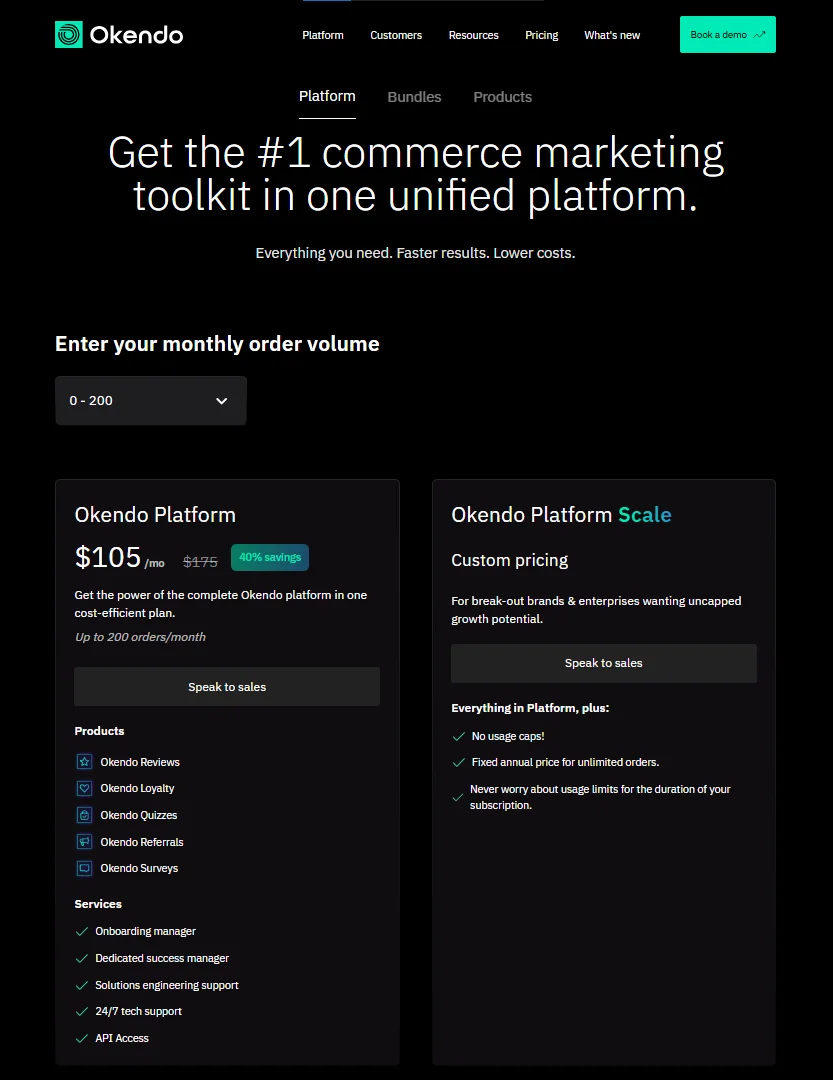
Okendo uses a pricing model that changes based on your monthly orders. The more orders you process, the more you pay.
Each plan gives a fixed set of features, but many useful tools sit in higher tiers. Some features also require add-ons, which increase the final cost.
This guide explains what each plan includes and what you actually pay for. It shows where the value is strong, where limits appear, and how the cost grows as your store scales.
It gives you a clear view of Okendo’s real pricing so you can decide if it fits your store or if another tool offers better value for the same budget.
Okendo pricing
What drives Okendo’s pricing
Okendo sets its pricing based on monthly order volume. More orders mean a higher plan.
Extra features like advanced filters, attributes, media tools, or integrations also push the price up because many of them sit only in higher tiers.
Add-ons increase the bill further. As a result, the final cost depends on how fast your store grows and which features you rely on.
Who does Okendo’s pricing fit best
Okendo’s pricing works best for stores with steady orders and a budget for higher plans.
It fits brands that use Shopify only, rely heavily on photo reviews, and want simple automation.
Mid-size stores with consistent sales can manage the rising cost better than new or low-volume stores.
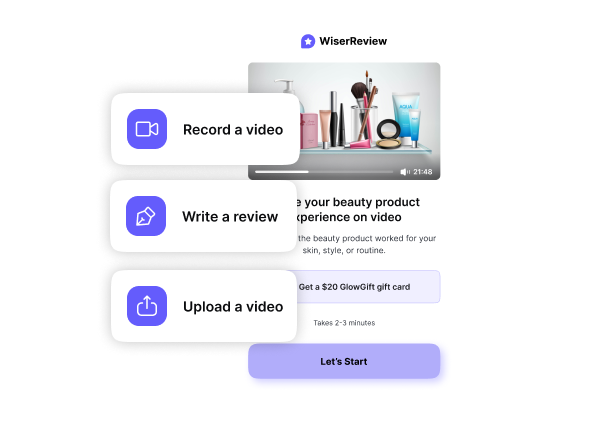
WiserReview is the best review software for stores that want to collect, manage, and display reviews at a lower cost. It supports photos, videos, attributes, Q&A, AI summaries, and automation in simple plans without add-ons. It works on Shopify, WooCommerce, BigCommerce, and more. It offers a free plan, and paid plans start at $9/month, which makes it much cheaper than Okendo.


All your reviews in one place
Collect reviews, manage every response, and display them where they matter most.
Hidden costs & Add-ons to expect
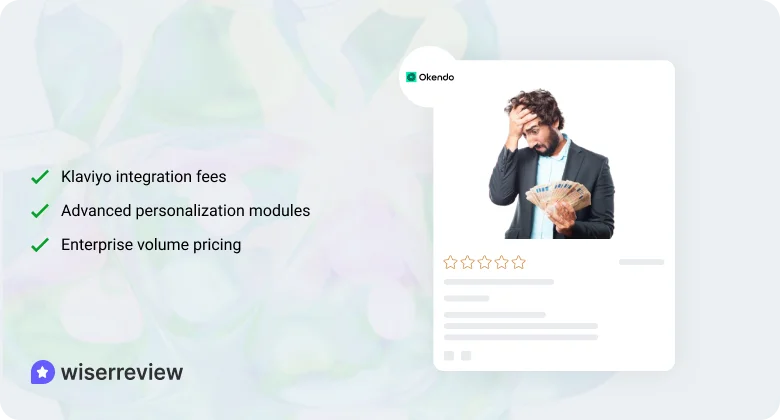
Here are the hidden costs and add-ons to expect:
Klaviyo integration fees
Okendo connects with Klaviyo, but some advanced parts of the integration may require higher plans. Stores that rely heavily on email flows often end up paying more to unlock full sync options.
- Advanced sync sits in higher tiers
- Extra cost for deeper data mapping
- Not ideal for stores with tight budgets
Quiz Builder or advanced personalization modules
Okendo offers advanced personalization tools, but many of them require extra modules or higher plans. If your store needs quizzes, deep tagging, or advanced customer paths, you may need add-ons.
- Extra cost for quiz tools
- Personalization is locked behind upgrades
- A higher plan is needed for a full experience
Enterprise volume pricing
Large stores face another layer of cost. Okendo moves high-volume brands into enterprise pricing, which is custom and usually much higher. This can raise your cost quickly if your order volume spikes.
- Custom pricing for large stores
- Higher fees once you pass order limits
- Hard to predict long-term costs
Is Okendo worth the price
Here are the points that show if Okendo is worth the price:
ROI from conversion rate gains
Okendo can increase your conversion rate by showing clear photo and video reviews.
Shoppers trust real content more than plain text, so they make faster decisions.
If your store gets steady traffic, the extra conversions can cover the monthly cost and give you a solid return.
Consolidating multiple tools saves costs
Okendo replaces several smaller tools like basic review apps, survey tools, and simple loyalty add-ons.
When you bring these functions into one platform, you pay for fewer apps and manage fewer systems.
This can make the overall cost feel lighter, especially for stores already using multiple tools.
Operational efficiency and marketing automation
Okendo reduces manual work by sending review requests and reminders automatically.
It also sends review data into email and SMS platforms, which helps you run better marketing flows.
This saves time for your team and improves the quality of your customer communication.
How to decide which Okendo plan fits your budget

Here are the steps to decide which Okendo plan fits your budget:
For small brands (<$10k/mo revenue)
Small brands should keep costs low and choose the plan that covers only the core features they need. If your revenue is still early, avoid higher tiers because the added cost will not match your current return.
- Pick the lowest plan that handles basic reviews
- Keep automation simple
- Avoid add-ons until revenue grows
For scaling stores ($10k–$500k+/mo)
Growing stores may need stronger features like media reviews, attributes, and better automation. These stores can justify mid or high-tier plans if they produce more conversions or save time for the team.
- Choose plans that support photo and video reviews
- Select features that help reduce manual work
- Make sure the plan fits your long-term growth
Key questions to ask before paying
Asking the right questions helps you avoid paying for features you don’t use. The best plan is the one that fits your order volume and expected return.
- How fast are your orders rising each month?
- Which features do you need now vs later?
- Will the plan stay within your budget as you scale?
What you get with Okendo
Here are the features you get with Okendo:
Reviews and high-converting widgets
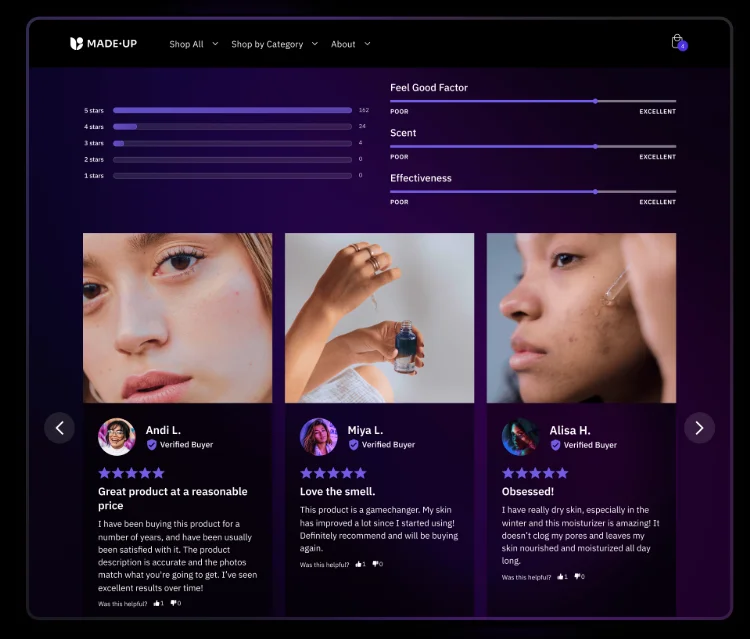
Okendo gives you review tools that help you show text, photo, and video reviews in clear layouts. The review widgets load fast and give shoppers the information they need to make quick decisions.
- Clean review layouts
- Fast-loading widgets
- Support for text, photo, and video reviews
UGC collection and display
Okendo makes it easy for customers to share photos and videos during the review process. This visual content builds trust and helps shoppers see real product results before buying.
- Simple photo and video upload
- Mobile-friendly media display
- Strong impact on buyer trust
Surveys and post-purchase insights
Okendo offers survey tools you can send after each order. These surveys help you learn what customers think about your product, service, and overall experience.
- Short post-purchase surveys
- Insights into customer experience
- Easy setup and tracking
Loyalty and rewards
Okendo includes a basic loyalty system. Stores can give points for actions like writing a review or making a purchase. It helps improve retention but is not as deep as dedicated loyalty tools.
- Points for reviews and purchases
- Simple reward setup
- Good for basic retention needs
Advanced personalization tools
Okendo supports customer attributes and product tags that help shoppers find the right information. These tools guide users to reviews that fit their size, style, or product needs.
- Attribute-based filters
- Product-specific tags
- Helps shoppers make faster choices

All your reviews in one place
Collect reviews, manage every response, and display them where they matter most.
Start Free →Wrap up
Okendo gives strong review features, but it becomes costly as your orders grow. Many useful tools sit in higher plans, and add-ons raise the final price.
If you want stable pricing and full features without upgrades, Okendo may not fit your budget.
WiserReview gives more features at a lower cost and works on more platforms, making it the better choice for brands that want a simple, affordable review system that grows smoothly.
Frequently asked questions
Yes. Okendo increases the price when your monthly orders rise, and some features require higher plans.
Many advanced tools, like filters, attributes, and deeper integrations, sit behind add-ons or higher tiers.
It can work, but small stores may find the price high because most useful features are not in the lower plans.
Yes. WiserReview gives full features at a lower cost and works on more platforms.
Yes. You can export your reviews from Okendo and import them into other review tools without much work.

Krunal