6 min
6 min 
Many businesses cannot find a WordPress plugin that shows Google reviews without slowing their Site. The right plugin builds trust. The wrong plugin slows pages.
82% of people trust online reviews as much as personal recommendations. Google reviews increase trust.
We list 9 free and affordable WordPress plugins for Google reviews. We compare features and pricing.
Quick Comparison: WordPress Plugins for Google Reviews
| Plugin | Best For | Key Strength | Starting Price |
|---|---|---|---|
| WiserReview | Ecommerce & Local Businesses | Automation + Review widgets + Multi-channel collection | Free / $9 mo |
| Widgets for Google Reviews | Simple Google display | Fast local storage | $65 yr |
| WP Review Slider Pro | Agencies & multi-client sites | Multi-platform import + sliders | $29 yr |
| ReviewsEmbedder.com | Local businesses | Lightweight + auto-sync | $54 yr |
| WP Business Reviews | Multi-platform brands | Google + Yelp + Facebook aggregation | $49 yr |
| WP Social Ninja | All-in-one solution | Reviews + social feeds + chat | $44 yr |
| WP Customer Reviews | Budget sites | Free + simple review form | Free |
| Taggbox | UGC + social proof | Reviews + social wall + analytics | Free / $19 mo |
8 Best Google Reviews Plugins for WordPress
Here are the 8 best Google Reviews plugins for WordPress. Compare features, speed, and pricing in one place.
1. WiserReview – Best Google Reviews WordPress Plugin

WiserReview is the best Google Reviews WordPress plugin for ecommerce brands and local businesses to collect, manage, and display customer reviews.
The plugin automates review requests after purchase and connects with WooCommerce and Shopify. It sends requests by email, SMS, WhatsApp, or QR code to increase response rates.
WiserReview displays Google reviews in fast, SEO-friendly widgets. It supports schema markup, which helps Google show star ratings in search results.
Businesses use WiserReview to boost trust, improve local SEO, and increase conversions without slowing down their WordPress Site.
1. Collect Product Reviews

WiserReview collects text, star ratings, photos, and video reviews. You can customize review forms based on product type.
How it works:
- Send review requests by email, SMS, or WhatsApp
- Share direct review links and QR codes
- Allow photo and video uploads
- Collect reviews in multiple languages
This process makes it easy for customers to leave feedback after purchase.
2. Automate Reviews
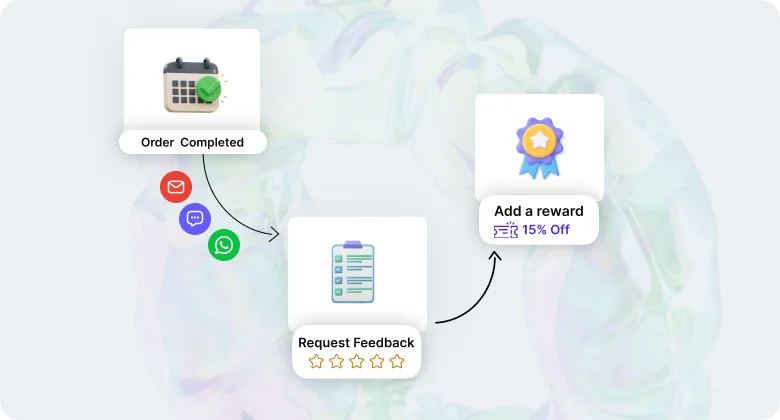
WiserReview sends review requests automatically after order delivery. You set the delay based on shipping time.
You can:
- Trigger requests after WooCommerce or Shopify order completion
- Send reminders to increase response rates
- Control timing by product type
Automation keeps review collection consistent.
3. Moderate Reviews
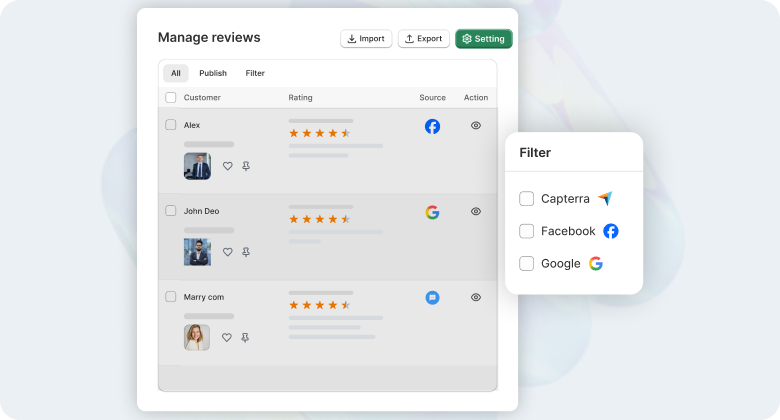
WiserReview gives you full control over published reviews.
You can:
- Approve or reject reviews manually
- Auto-flag spam or abusive content
- Filter reviews by rating or keywords
This control protects your brand while keeping reviews transparent.
4. Display Reviews

WiserReview displays reviews in fast-loading widgets. Widgets load from secure servers, so they do not slow down your WordPress Site.
You can:
- Show star ratings near product titles
- Enable schema markup for Google rich results
- Match widget colors and fonts with your theme
- Display photo and video galleries
These features increase trust and improve conversions.
 Pros
Pros - ◆ It offers effortless Google integration and customizable, mobile-friendly widgets
- ◆ The ability to collect Google reviews using a built-in form and offer incentives, which helps increase your review count
- ◆ It uses tag-based display logic, allowing you to choose which reviews appear on each page
 Cons
Cons - ◆ The advanced automation features, such as tagging and incentive rules, are only available with paid plans
- ◆ There are limited built-in integrations outside the main review platforms, but more are being added frequently
Pricing:
- Free Version: Basic features with limited customization.
- Essentials Plan: $9/month – Includes additional display options and customization.
- Exclusive Plan: $19/month – Offers full features, including advanced integrations and priority support.

All your Google reviews in one place
Collect Google reviews, manage every response, and display them where they matter most.
Start Free →2. Widgets for Google Reviews
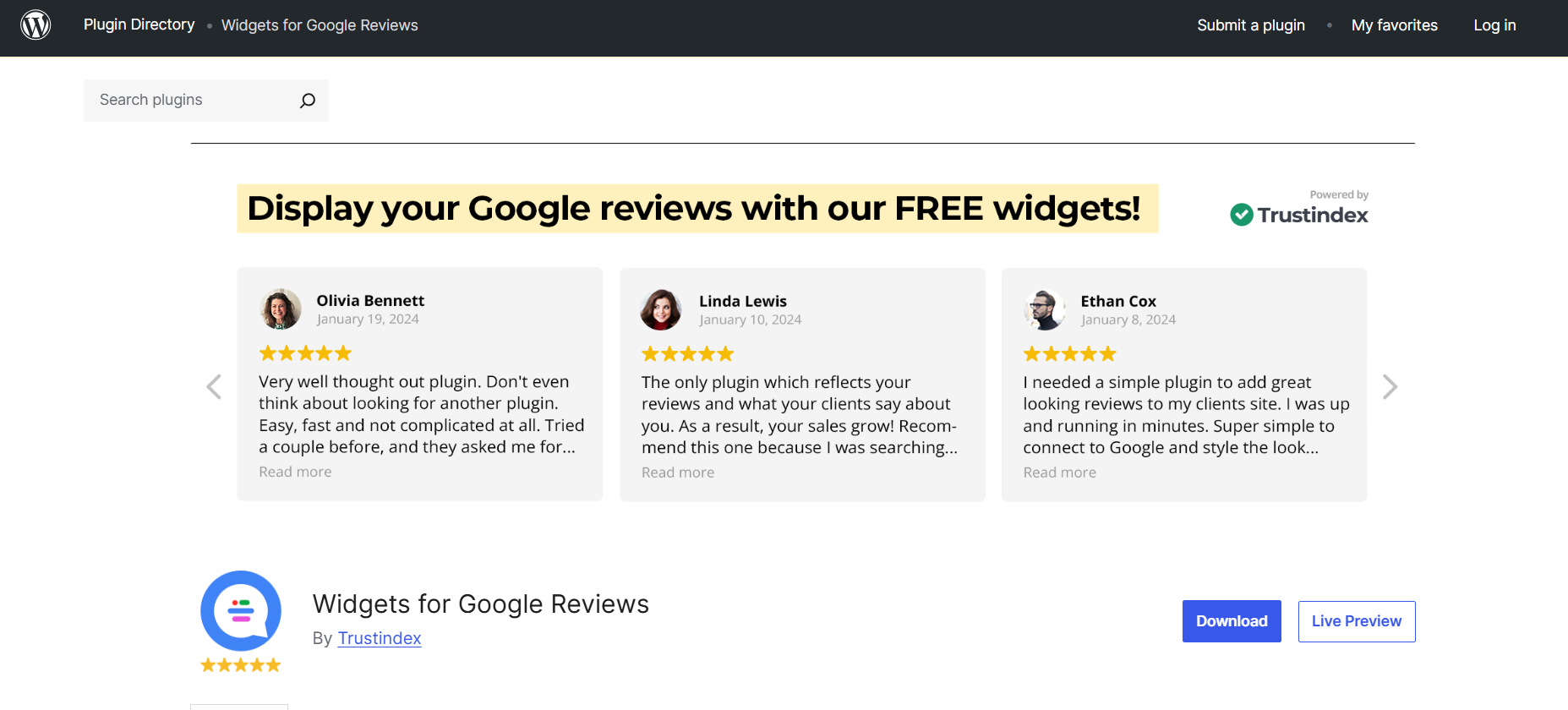
Widgets for Google Reviews focus on a simple Google review display. The plugin stores reviews inside your WordPress database.
This storage improves loading speed and reduces dependency on the Google Places API.
Key features:
- Local database storage
- Sidebar widgets and shortcodes
- 25+ design templates
- Filter reviews by rating or date
- Compatible with Elementor, Divi, and Gutenberg
This plugin suits businesses that want a simple Google-only display solution.
Pros - ◆ Loads fast because reviews are stored locally
- ◆ The free version is functional and stable
- ◆ Multiple display options and filtering help you control what visitors see
Cons - ◆ The free version usually limits reviews (around 10)
- ◆ Advanced styling may require the Pro version
Pricing:
- 7 days free trial
- Pro Version: $65/year – Unlocks additional features like advanced filtering and customization options.
3. WP Review Slider Pro

WP Review Slider Pro highlights reviews in slider and grid layouts. The plugin pulls reviews from multiple platforms and stores them locally.
Key features:
- Import from 90+ platforms, including Google and Facebook
- Responsive slider and grid layouts
- Filter by star rating
- Deep styling control
- Built-in review submission forms
Agencies and multi-client businesses prefer this plugin for its flexibility.
Pros - ◆ It's easy to use and lightweight, which won't slow down your site
- ◆ The design is clean, professional, and mobile-friendly
- ◆ It also highlights the top-rated reviews, so visitors see the best customer feedback
Cons - ◆ Some advanced display controls and features are only in the paid version
- ◆ It supports multiple languages but mainly focuses on Google reviews, not as many other platforms as some competing plugins
Pricing:
- Starter Plan: $29/year for 1 site
- Business Plan: $59/year for 5 sites
- Agency Plan: $149/year for 50 sites
4. ReviewsEmbedder.com

ReviewsEmbedder.com focuses only on Google reviews. The plugin connects directly to Google Business Profile and automatically fetches new reviews.
Key features:
- Real-time auto-sync
- Schema markup support
- Filter by rating or keyword
- Responsive slider and grid layouts
Local businesses prefer this plugin for its fast setup and lightweight code.
Pros - ◆ It has a simple setup with a few steps and won't slow down your site
- ◆ You can easily customize it, and it includes essential schema markup for SEO
- ◆ It's perfect for local businesses that want to display Google reviews
Cons - ◆ The main drawback is that it doesn’t support platforms like Yelp or Facebook
- ◆ If you need to aggregate combined reviews from different places, this is not the right tool for you
Pricing:
- 14-day free trial
- Paid Plan: For all layouts, filtering, and schema, our paid plans start at $54 per year.
5. WP Business Reviews

WP Business Reviews aggregates reviews from Google, Yelp, Facebook, and other platforms. The plugin displays them in one unified feed.
Key features:
- Multi-platform aggregation
- Manual review entry
- Advanced filtering and tagging
- Multiple layout styles
Businesses with reviews across platforms choose this plugin for centralized control.
Pros - ◆ It allows you to display reviews from multiple platforms in one spot
- ◆ You can manually add Google reviews, so you can never miss a valuable one
- ◆ The advanced filters help you avoid showing spam or very low-rated negative reviews
Cons - ◆ There is no free version available
- ◆ If you only need Google reviews, then this plugin might be more complex than you need
Pricing:
- Basic Plan: $49/year for 1 site
- Pro Plan: $99 for 10 sites
- For Agency: Pricing details available upon request
6. WP Social Ninja

WP Social Ninja combines Google reviews, social feeds, and chat widgets. The plugin connects with 30+ platforms.
Key features:
- Google review display
- Social media feeds
- WhatsApp and Messenger chat widgets
- AI review summarizer (Pro)
- QR code review collection
This plugin suits businesses that want reviews and social proof in one dashboard.
Pros - ◆ It connects with over 30+ platforms and includes reviews, social feeds, and chat
- ◆ The free version has a Google reviews plugin that's easy to set up, needing no coding skills
Cons - ◆ The plugin may seem complicated if you only want basic Google reviews
- ◆ Key features, like the AI summarizer, are only in the paid version
Pricing:
- Single Site Licensed: $44/year
- Agency Site Licensed: $149/year
- Unlimited Site Licensed: $249/year
7. WP Customer Reviews

WP Customer Reviews lets customers submit reviews directly on your WordPress Site. The plugin stays lightweight and simple.
Key features:
- Direct review form
- Manual approval system
- Basic SEO support
- Anti-spam protection
Small websites and blogs use this plugin for a free review system.
Pros - ◆ The plugin is free forever, which is ideal for businesses with a tight budget
- ◆ It's lightweight and fast, letting you check every review before it's published
Cons - ◆ It has few customizations and styling options compared to premium tools
- ◆ Its integration with the official Google API key for pulling external Google reviews may have fewer features than other options
Pricing:
WP Customer Google Reviews is a free plugin.
8. Taggbox

Taggbox aggregates user-generated content from Google, Instagram, TikTok, and YouTube. The platform displays reviews and social feeds together.
Key features:
- Real-time sync
- Advanced moderation tools
- Social media wall integration
- Analytics dashboard
Brands that want to combine reviews and social content prefer Taggbox.
Pros - ◆ It gives quick, real-time updates and offers many customizable, stylish widget designs
- ◆ The moderation tools are great, allowing you to control your displayed content easily
Cons - ◆ Some of the best features, like removing Taggbox branding and connecting multiple platforms, need a paid plan
- ◆ If you just want a simple list of Google reviews, this tool may be too much
Pricing:
- Free Plan: A free plan is available with basic features.
- Paid Plan: Paid plans start at $19 per month.
How to Choose the Right WordPress Google Reviews Plugin

Display and Layout Options: Pick a plugin that shows reviews in list, grid, or slider layouts. It should match your WordPress theme. It should let you change fonts, colors, and spacing.
Filtering and Moderation: Pick a plugin that automatically hides low ratings. It should let you approve reviews manually and filter by keywords.
Auto-Sync and Caching: Use a plugin that pulls new Google reviews automatically. It should store reviews locally to speed page load times.
Schema Markup: Pick a plugin that adds structured data markup. That helps Google show star ratings in search results.
Multi-Location Support: If your business has more than one location, pick a plugin that connects all Google Business Profiles. You should be able to show overall ratings and location-specific reviews.
Extra Features: Some plugins include review collection forms, QR codes, and AI summaries. Choose features that fit your business needs.
Wrap up
A Google reviews WordPress plugin builds trust and increases conversions.
Choose a plugin based on your goals. Focus on auto-sync, moderation tools, schema markup, and layout flexibility.
When you use the right plugin, you turn customer feedback into stronger SEO and higher sales.
Frequently asked questions
Most plugins require a Google Places API key from Google Cloud Console. Some tools handle the connection for you, but many need manual API setup.
A well-built plugin uses caching or local database storage to keep pages fast. Poorly optimized plugins can slow down load time.
Yes. You need a plugin that supports schema markup. Structured data helps Google display rich snippets with star ratings.
Some plugins let you send review requests by email, SMS, or QR code. Others only display existing reviews from Google Business Profile.
Ecommerce stores need automation, product-level review display, and multi-channel requests. Tools like WiserReview support WooCommerce, Shopify, and product-based review workflows.

Krunal