6 min
6 min 
Google reviews are the most powerful trust signal for local businesses in 2026. They determine your visibility in search results, influence customer decisions, and directly impact your revenue.
Every business needs a systematic approach to collecting, managing, and displaying reviews. Without one, you’re leaving money on the table and giving competitors an advantage.
This guide explains how Google reviews for business work and how to use them to drive real growth. It covers collection, visibility, compliance, and conversion in one place.
Whether you’re starting from zero or managing thousands of reviews, the tactics here work.
Let’s get started.
Google Maps reviews vs Google Business Profile reviews

Google Maps reviews and Google Business Profile reviews are the same; they are two different ways to access the same database of customer feedback.
Google Maps reviews explained

Google Maps is the consumer-facing window where users discover, navigate to, and post reviews for a location. Reviewers can edit or delete their own reviews directly through the app.
Google Maps reviews include star ratings, written feedback, photos, and business owner responses. They’re critical for mobile users who search on the go and make quick decisions based on ratings and proximity.
How google maps work:
- Public Accountability: All reviews are public and linked to a user’s Google account; anonymous reviews are not allowed.
- Rating Calculation: Your overall score is the mathematical average of all published ratings. It can take up to two weeks for a new review to reflect in the total score.
- Review Summaries: For well-reviewed places, Google uses AI to generate Place Topics, tags like “quiet atmosphere” or “good for kids”, based on common keywords in reviews.
Google then runs automated checks to keep reviews helpful and reduce spam. Google has public content policies and enforcement systems that can remove or filter reviews that break rules or look suspicious.
Business owners do not “own” the reviews, but they can manage them through Google Business Profile. They can ask customers for reviews and reply to reviews to address issues and build trust.
Google Business Profile reviews explained

Google Business Profile (GBP) is the owner’s command center where business owners manage reviews, reply to customers, and track business performance.
It is a tool used to claim and control the information displayed on Google Maps and Search, to manage a business’s online reputation and improve local search visibility.
Owners can flag or report inappropriate reviews that violate Google’s policies (e.g., spam or fake content). Also, GBP provides metrics on how many people viewed the profile or clicked for directions after reading reviews.

Authentic reviews drive growth
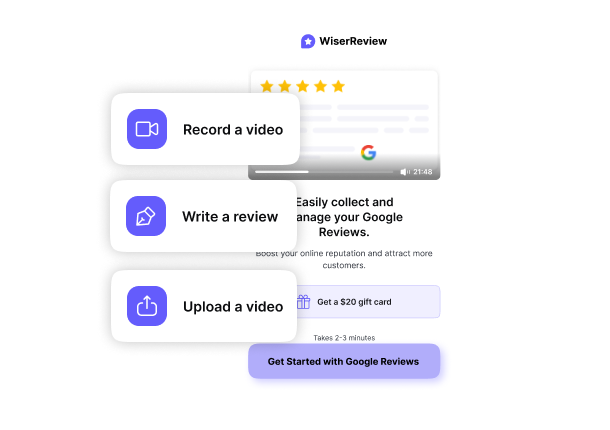
Authentic reviews build stronger credibility. Use WiserReview to collect reviews automatically and display them with ease.
Google seller ratings explained

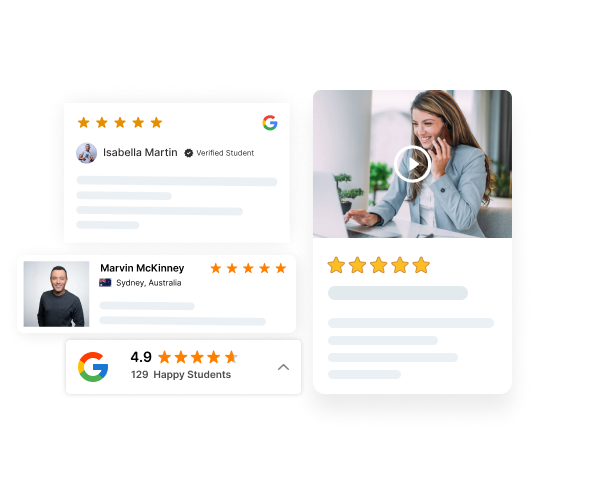
Google Seller Ratings are an automated ad extension that displays gold star ratings next to your text ads in Google Search and Google Shopping. As shown in the image above.
These ratings are based on verified buyer feedback. Google collects this feedback through approved sources like Google Customer Reviews and trusted third-party review partners. The goal is to show shoppers whether a store is reliable before they click or buy.
How Google seller ratings work
After a customer completes a purchase, they may receive a short survey asking about their experience. Google aggregates this feedback into an overall star rating for your store. Individual reviews are not shown publicly. Only the average rating and review count appear.
To qualify, a store usually needs:
- Enough recent reviews, typically 100+ over the last 12 months
- A minimum average rating, usually 3.5 stars or higher
Once eligible, Google automatically displays seller ratings in eligible ads and listings.
Why Google seller ratings matter
Seller ratings increase trust at the exact moment shoppers compare options. Stores with visible star ratings often see higher click-through rates and better ad performance. Google also uses these ratings as a quality signal for ads.
However, Seller Ratings are country-specific. If you have 100 reviews from the US but advertise in India, the stars may not show for Indian users unless you also have 100 reviews from India.
Why Google reviews matter for business success
Google business reviews decide whether customers click on your business or move on. They build trust and directly affect visibility and sales.
Google reviews and local visibility
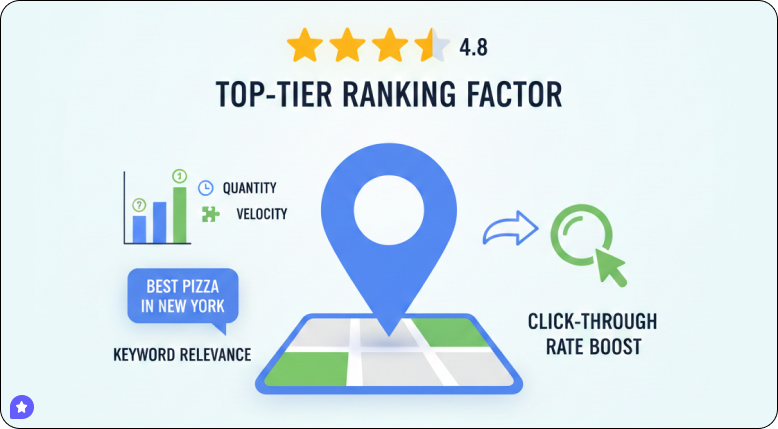
Reviews are a top-tier ranking factor for Local SEO, determining if your business appears in the “Local Pack” (the map and top 3 listings shown for “near me” searches).
- Ranking Signals: Google’s algorithm prioritizes three review elements: Quantity (total number), Velocity (frequency of new reviews), and Diversity (keywords in the text).
- Keyword Relevance: When customers write “best pizza in New York,” they are creating free, keyword-rich content that helps Google understand exactly what you do and rank you for those specific long-tail queries.
- Click-Through Rate (CTR) Boost: Listings with high star ratings get significantly more clicks than lower-rated competitors.
Google reviews and eCommerce performance
Google reviews are essential to eCommerce performance, serving as powerful social proof that builds trust, influences purchasing decisions, and improves search engine visibility.
- Builds Instant Trust & Credibility: In an online environment where customers cannot physically inspect products, they rely heavily on others’ experiences. Approximately 85% of consumers trust online reviews as much as personal recommendations.
- Boosts Conversion Rates & Sales: Reviews drive sales. Studies show that products with at least 5 reviews have a 270% increase in conversion rates and are more likely to be purchased.
Google reviews and paid ads
Google reviews are a high-impact spark for paid advertising success, directly lowering costs while boosting visibility and conversions.
- Reviews appear in ads (via extensions), making them visually distinct.
- Users are more likely to click ads with stars, increasing your CTR (often by 10-17%).
- Higher ratings drive more clicks; they signal to Google that your ad is valuable, which in turn leads to a higher Quality Score.
- Google rewards ads with high Quality Scores by charging lower per-click rates. You can pay significantly less than competitors while maintaining a better ad position.
How Google’s review system really works
Google uses AI and algorithmic filters to maintain review quality and authenticity. Understanding this system helps you collect reviews that actually stick.
Google’s review algorithm explained simply

Google’s algorithm evaluates every review for authenticity using hundreds of signals. The system checks reviewer account history, IP addresses, review patterns, and content quality.
The Google review algorithm determines which reviews to display and how much “weight” they give to your ranking. It uses several key filters:
Spam & Authenticity: Google’s “SpamBrain AI” analyzes reviews for robotic language, repetitive phrasing, and suspicious metadata, such as IP addresses or submission timing.
Sentiment Analysis: Beyond star ratings, the system uses AI to detect the emotional tone of a review.
Justifications: Google often “extracts” specific text from reviews to create “justifications” to match a user’s specific search intent.
Google review velocity explained

Review Velocity is the rate at which your business receives reviews over a given period.
Google prioritizes a steady, ongoing stream of feedback. Sudden spikes in reviews (e.g., 50 reviews in one day) trigger Google’s spam filters because they appear unnatural.
A business that receives 2-3 reviews per week is often seen by the algorithm as more reliable and relevant than a competitor with 1,000 older reviews and no recent activity.
Google review attributes & Schema: Full list & meaning
Google review attributes are short labels that describe specific parts of a customer’s experience. Google adds these tags based on what people mention in their reviews.
Common Google review attributes are: Friendly staff, High quality, Affordable, Fast service, Easy parking, Defective product, Poor service.
Review schema is the code added to your website to help Google display “Rich Snippets” (star ratings) directly in search results, often appearing as star ratings.
Important properties include:
AggregateRating: Shows the overall average star score.
ReviewCount: Displays the total number of reviews.
ReviewBody: The actual text content of the review.
Author: The name of the reviewer, used to verify E-E-A-T (Experience, Expertise, Authoritativeness, and Trustworthiness) signals.

All your reviews in one place
Collect reviews, manage every response, and display them where they matter most.
Start Free →What you need before collecting more Google reviews
Before you step up your review collection, ensure your foundation for Google Business Reviews is solid.
Customer experience foundations

Reviews reflect reality, not a marketing band-aid. You cannot “optimize” your way out of a poor product or bad service.
If your service is inconsistent, your review feed will be too. Google’s algorithm and modern consumers are highly sensitive to “review spikes” followed by “complaint clusters.”
You need a process to catch “internal” complaints before they hit the public “external” map. A business that fixes a problem in person rarely receives a 1-star review online.
Strong foundations reduce complaints before they become public reviews. Weak foundations turn small issues into 1-star feedback.
How to get more Google reviews (step-by-step)
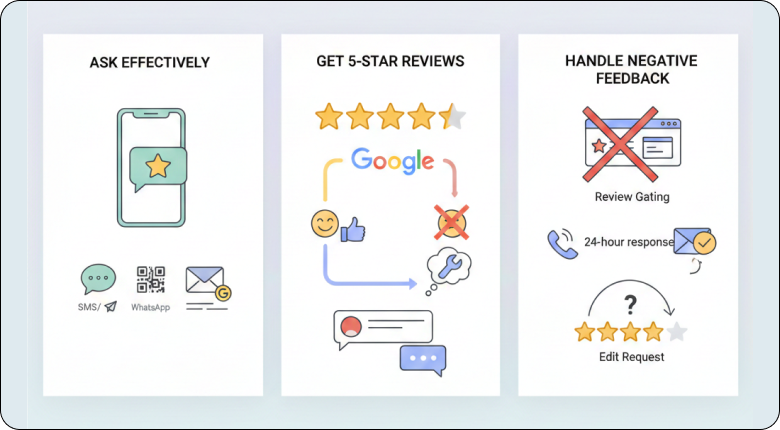
Getting more reviews requires the right timing, messaging, and follow-through. Here’s the proven process.
Ask Google reviews effectively
The secret to a high response rate is catching the customer while the purchase is still fresh. For service businesses, ask for Google reviews immediately upon completion. For eCommerce, trigger an email 3–7 days after delivery once they’ve actually used the product.
Keep requests simple and mobile-friendly. Avoid lengthy explanations, just ask directly:
“Hi [Name], thanks for choosing us! Could you spare 30 seconds to share your experience here? [Link]”
Channels that work;
- SMS/WhatsApp: Boasts a 98% open rate. Send a direct link.
- QR Codes: Place these at checkout counters, on table tents, or inside packaging.
- Email Signatures: Add a subtle “Review us on Google” hyperlinked icon to every employee’s signature.
Get 5-star Google reviews consistently
Deliver exceptional experiences that naturally inspire positive feedback. You can’t force 5-star reviews, but you can create conditions that make them more likely.
- The “Pre-Ask” Check: Before sending the link, ask: “How was everything today?” If they say “Great!”, follow up with the link. If they hesitate, solve the problem first.
- Be Specific: Instead of “Leave a review,” say: “Mentioning our [Specific Service/Staff Member] really helps our small team.” This leads to higher-quality, keyword-rich reviews.
- Respond to Everyone: When potential reviewers see you actively responding to reviews, they are more likely to leave one because they know they will not be ignored.
Avoid Review Gating and Handle Negative Feedback Safely
Google’s Prohibited Content Policy strictly forbids “Review Gating”, the practice of only sending review links to happy customers (positive experience) while filtering out unhappy (negative experience) ones.
Review gating involves asking customers about their experience; happy customers are directed to public review sites (e.g., Google, Yelp), while unhappy customers are directed to private internal feedback forms.
Handling Negatives Safely:
- Respond Publicly: Acknowledge the issue within 24 hours. This shows future customers that you care about accountability.
- The “Offline” core: Include a direct phone number or email in your response to move the conflict out of the public eye.
- The “Edit” Request: Once you resolve an unhappy customer’s issue, it is perfectly legal to ask: “Now that we’ve made this right, would you be open to updating your review?”
Review collection methods that actually work
To maximize your review count, you need to reduce the “friction” between the customer’s experience and the submission screen. Use multiple channels to make leaving reviews convenient for customers with different preferences.
Google review links

Digital links are the most direct way to collect reviews because customers are already on their devices.
- The “Direct” Link: Don’t just send them to your website. Use the Google Business Profile Manager to generate a short “Ask for reviews” link that opens the review box automatically.
- WhatsApp/SMS: These have the highest conversion rates. Mention the customer’s name and the specific service they received to make it feel personal rather than automated.
Google review QR codes

QR codes work perfectly for in-person businesses. Generate a QR code from your Google review link using the Business Profile interface.
- Placement Strategy: Place QR codes where customers have “dwell time”, at the checkout counter, on table tents, or counter displays, Business cards.
- The Hook: Use a clear call to action (CTA), such as “Scan to support our local team!” or “Tell us about your experience”.
Google review cards
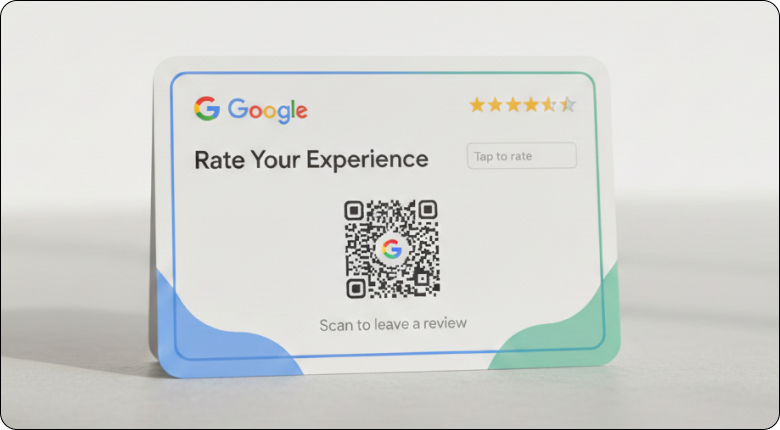
Physical cards are a tangible reminder customers can take home, keeping your business top of mind.
Design: A high-quality business card with a QR code on one side and a Brief thank-you message, with a short URL as a backup, works best.
Hand out review cards after completing services, with purchases, or in follow-up mailings. Physical reminders work especially well for customers who prefer offline interactions.
Google review email request
Emails provide more context and can be automated to be sent 24–48 hours after a purchase.
Template: The “Feedback” Approach
Subject: We’d love to hear your thoughts, [Name]!
Body: Hi [Name], thanks for choosing [Business Name]! We hope you’re loving your new [Product/Service].
Small businesses like ours rely on feedback to grow. Could you spare 30 seconds to share your experience on Google?
[Link: Review us on Google]
Thanks for your support!
Template: The “Employee Shout-out” (High Conversion)
Subject: Quick question about your visit with [Employee Name]?
Body: Hi [Name], it was a pleasure serving you today. If [Employee Name] did a great job, would you mind giving them a quick shout-out in a Google review? It really helps their career and our team!
[Link: Leave a Review Here]


Smart review widgets
Display reviews on your site with WiserReview. Collect, manage, and display feedback in carousels, grids, or badges.
Use Google Customer Reviews opt-in and survey for ecommerce business
Google Customer Reviews is a free program from Google that collects verified buyer feedback after a purchase. It helps ecommerce stores earn seller ratings that appear in Google Search and Shopping ads.
What is Google Merchant Center, and why does it matter?

If you want to show or sell your products on Google Shopping and Performance Max, Google needs information about your store and products.
Every ecommerce store is different. All your products are organised in multiple ways to ensure Google has the data it needs. Your Google Shopping ads can’t run until you set up your Google Merchant Centre account.
Google Customer Reviews is enabled and managed from Google Merchant Center. Without a Merchant Center account, you cannot use the program or earn seller ratings.
Merchant Center helps by:
- Syncing your products with Google Shopping
- Managing store information and policies
- Enabling seller ratings and review programs
- Improving visibility across Google Search and Shopping.
How to enable and implement Google Customer Reviews at checkout
First, enable Google Customer Reviews in your Google Merchant Center account.

- Sign in to Google Merchant Center and click the Settings (gear) icon in the top menu.
- Go to Add-ons, then open the Discover tab.
- Find Google Customer Reviews and click Add.
Once enabled, the add-on will appear under Your Add-ons.
- Click Go to Google Customer Reviews, review the agreement, and click Sign agreement.
After signing, Google requires you to complete Opt-in integration.
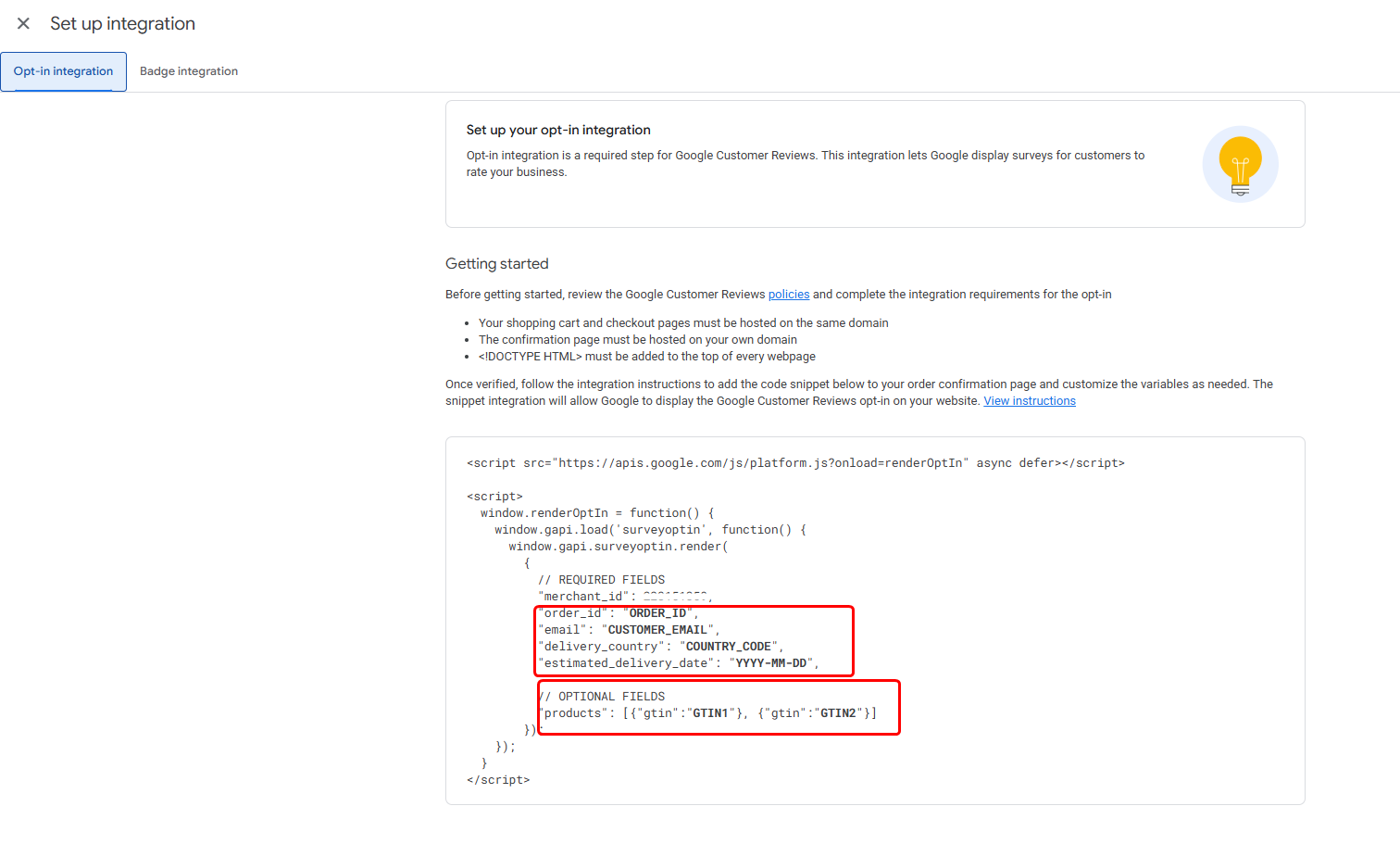
Click Set up integration and add the Google Customer Reviews opt-in JavaScript to your order confirmation page. This page must load after a successful purchase and use HTTPS.
User experience: When implemented correctly, a small opt-in prompt appears immediately after checkout. If the customer agrees, Google sends the review survey automatically after the expected delivery date.
Customization: You can control where the opt-in module appears on the confirmation page. A visible but non-intrusive placement works best.
To meet requirements, your confirmation page must securely pass the order ID, customer email, and delivery country to Google.
Key benefits for ecommerce businesses
Verified trust signals: Seller ratings from Google Customer Reviews appear in Search and Shopping ads, increasing trust and click-through rates.
Hands-off review collection: Google manages survey delivery, reminders, and data collection without manual effort.
Purchase-focused feedback: The survey captures real post-purchase experience, helping you spot checkout, delivery, or service issues early.
How to manage Google reviews effectively
Effective review management turns feedback into business growth. Quick, thoughtful responses build trust and improve rankings.
AI-powered review replies

AI has transformed reputation management by eliminating “writer’s block” and ensuring every customer gets a unique response.
WiserReview’s AI agent automatically drafts responses to Google reviews, saving hours of manual work. The AI analyzes review sentiment and generates appropriate replies that maintain your brand voice.
It also uses AI to detect specific keywords (e.g., “fast delivery” or “friendly staff”) and incorporate them into the reply, which signals to Google that you are attentive.
All your reviews in one place
Collect reviews, manage every response, and display them where they matter most.
Start Free →Multi-location Google review management
For brands with 10, 50, or 100+ stores, individual logins are a nightmare. Managing reviews across multiple locations requires centralized control with location-specific customization.
WiserReview organizes workspaces so each location’s reviews remain separate while providing an overview of analytics across all properties.
You can:
- Set location-specific automated responses
- Track performance by individual location
- Compare review metrics across properties
- Maintain consistent branding while allowing local personalization.
Responding to Google reviews (good, bad, fake)
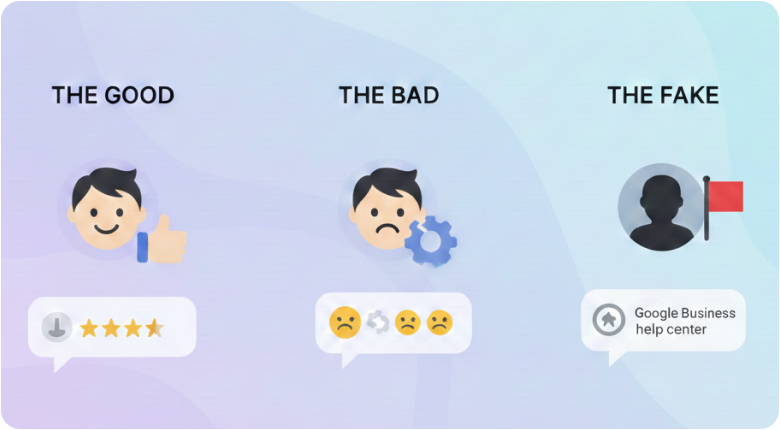
Responding to reviews demonstrates that you value every customer and that you listen and care, whether the review is positive or negative.
The Good: Keep responses professional but personable. Don’t just say “Thanks.” Use the customer’s name and repeat the service they liked (e.g., “Glad you enjoyed our vegan food, Sarah!”).
The Bad: Respond within 24 hours. Acknowledge the issue, apologize sincerely, and offer to resolve the problem offline. Move the conversation to a private channel (email/phone).
The Fake: Do not engage emotionally. Flag the review for removal via the Google Business Profile help center if it violates Google’s Content Policies.
3 inspiring positive review response examples
Example 1: The enthusiastic
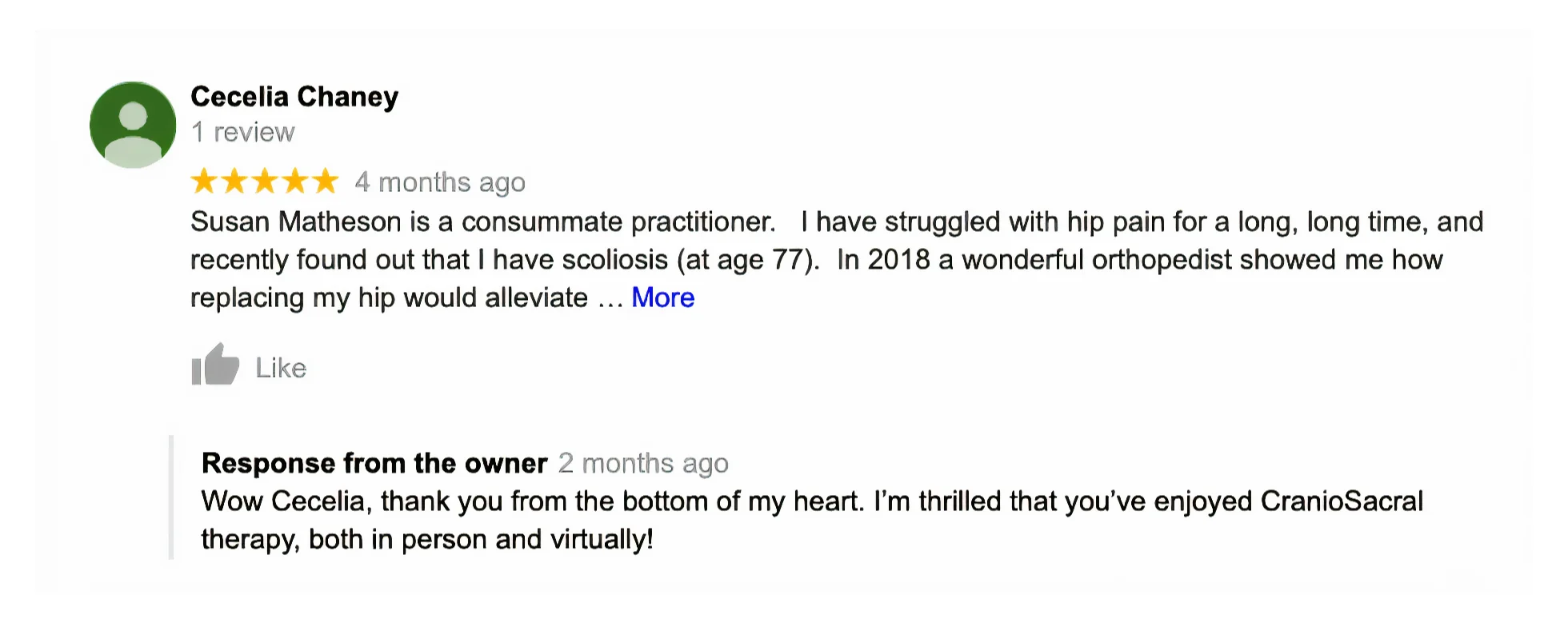
This review shows a satisfied customer sharing a detailed positive experience. The owner replies with an enthusiastic, personal response, demonstrating care and appreciation. Such replies build trust and show future customers that the business values feedback.
Example 2: The Keyword-rich
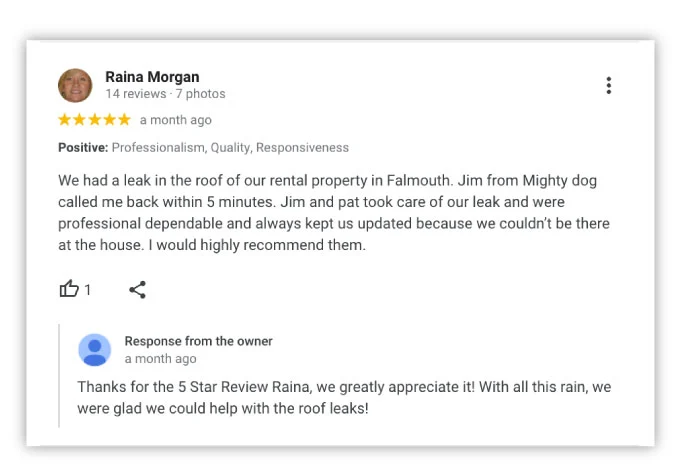
This review shows a happy customer highlighting professionalism and quick service. The owner’s reply clearly mentions a “5-star review,” which reinforces a keyword-rich response. Such responses help build trust and support local visibility.
Example 3: Recommendation

This review shows a customer strongly recommending the business after a positive experience. The phrase “highly recommended” signals high satisfaction and confidence. Reviews like this help future customers feel assured and ready to choose the business.
Authentic reviews drive growth
Authentic reviews build stronger credibility. Use WiserReview to collect reviews automatically and display them with ease.
Value of a 1-Star Google Review
A 1-star review isn’t a threat; it’s an opportunity. How you handle criticism matters more than the criticism itself.
1-star reviews are free “consulting.” They tell you exactly where your business is failing so you can fix it before it costs you more customers.
A brilliant response to a negative review can sometimes impress a potential customer more than a generic positive one. It demonstrates that you value your customers and stand behind your work.
Best Google review tools and software
The right tools streamline the collection, management, and display of reviews across your business.
Below is a curated list of the top Google review tools and services categorized by their primary function.
Google review management software
WiserReview
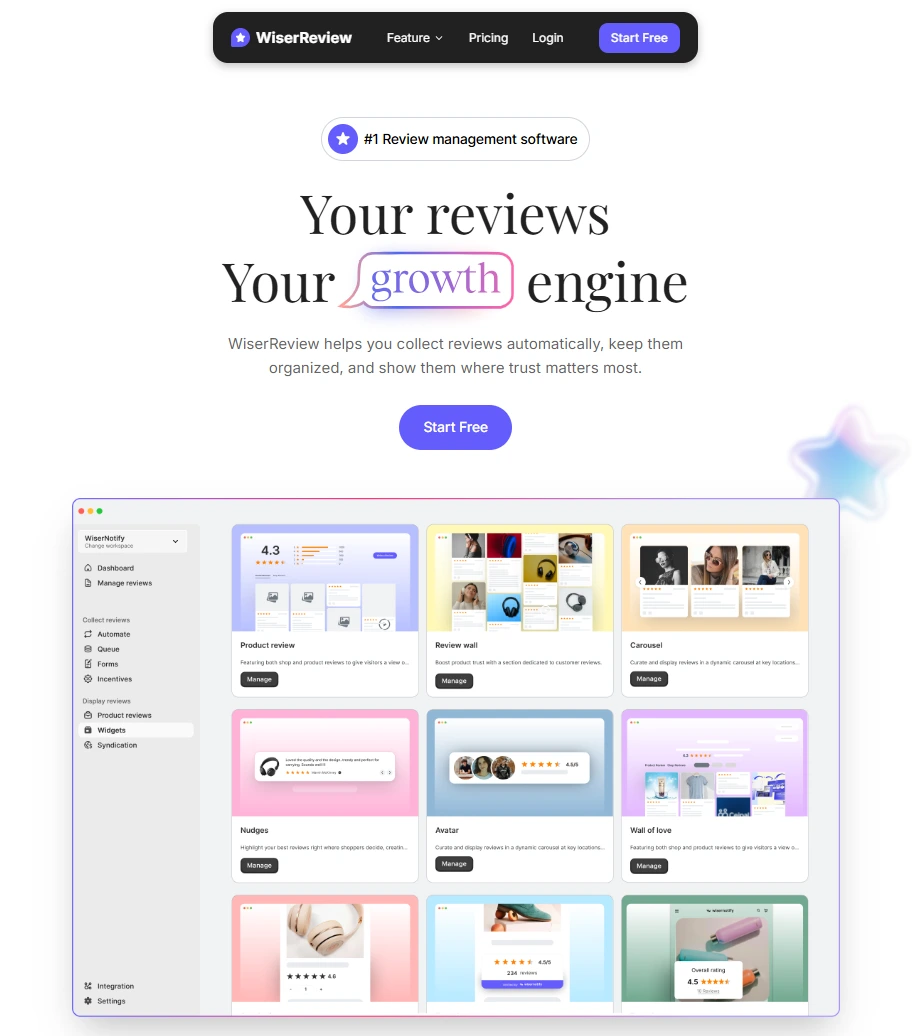
As a business scales, manually sending links becomes impossible to track and risks violating Google’s strict policies. This is where a dedicated system like WiserReview becomes essential.
WiserReview is a review management platform that helps businesses collect, manage, and display customer reviews in one place. It focuses on automation, compliance, and conversion by turning real feedback into trust and growth.
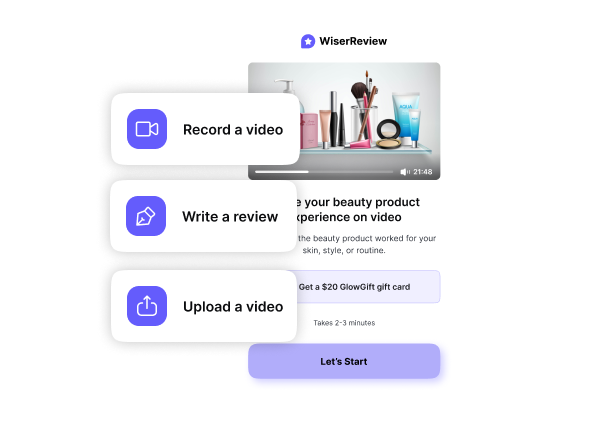
Collect reviews: WiserReview helps you collect reviews using email, SMS, WhatsApp, links, QR codes, and forms. You can automate requests after orders, visits, or deliveries to get steady feedback.
Manage reviews: WiserReview consolidates all reviews on a single dashboard. You can filter, approve, reply, tag, and moderate reviews easily while staying compliant with Google policies.
Display reviews: WiserReview lets you show reviews on your website using carousels, grids, badges, popups, and review walls. These widgets update automatically and work on any page.
Rich snippets: WiserReview adds review schema to your site so star ratings can appear in Google search results. This improves click-through rates and search visibility.
Integrations: WiserReview integrates with platforms like Google, Shopify, WooCommerce, and other tools. This allows reviews to sync automatically and integrate with your existing workflow without manual effort.
Pricing: A free tier is available. Paid plans: Essentials at $9/month and Exclusive at $19/month.

All your reviews in one place
Collect reviews, manage every response, and display them where they matter most.
Birdeye

An enterprise-level platform that combines review management with listing updates and customer messaging.
The tool is often chosen by multi-location enterprises for its advanced AI, robust analytics, and social media management.
Key features:
- Review Management: Automates review generation and monitoring across 200+ sites with AI-driven sentiment analysis.
- Listing Management: Synchronizes business information across 100+ directories to improve local search rankings.
- Social Media Management: Centralizes publishing and engagement for multiple locations with AI-generated content suggestions.
Pricing: starts at $299/month (often with annual pre-pay), with the “growth plan” of $399/month per location, and the “dominate plan” is of $449/month per location.
Podium

Primarily focused on “Leads and Reviews” via text messaging, making it a favorite for local service businesses like HVAC or automotive.
Podium is widely preferred by small, local businesses for its simplicity and text-first approach.
Key features:
- AI Employee (“Jerry”): Provides 24/7 conversational AI that responds to leads, schedules appointments, and handles reviews.
- Unified Communication Inbox: Merges text, social media messages, and phone calls into one interface for instant response.
- SMS Review Requests: Drives high review volume by sending simple review invitation links directly via text message.
Pricing: Podium’s Core plan starts at $399/month, with the Pro Plan (approx. $599/month) designed for growing businesses with up to 5 locations.
Google Review Management Services
BrightLocal

A comprehensive suite for Local SEO that includes automated review monitoring and detailed reporting for agencies managing multiple clients.
It combines review management with essential SEO tools like rank tracking and citation building, making it a cost-effective “all-in-one” solution for ranking higher in local results.
Key features:
- Multi-Site Monitoring: Tracks reviews across 80+ platforms, including Google, Facebook, and Yelp.
- Review Generation: Automates email and SMS campaigns to request customer feedback.
- Direct Response: Allows you to respond to Google and Facebook reviews directly from a single dashboard.
Pricing: starts at the “Track plan” of $29/month, with the “Manage plan” ($36/month) and “Growth plan” ($44/month).
Reputation.com

An enterprise-grade Customer Experience (CX) platform designed for large, multi-location brands in industries like healthcare and automotive.
It goes beyond simple review tracking to offer deep operational insights, sentiment analysis, and unified customer feedback management across hundreds of locations.
Key features:
- Centralized Enterprise Dashboard: Manages reviews and feedback for hundreds or thousands of locations in one view.
- AI Sentiment Analysis: Uses natural language processing to uncover trends and operational issues in feedback.
- Integrated Surveys: Sends and manages complex customer experience (CX) surveys via email, SMS, or kiosk.
Pricing: Reputation.com offers customized, location-based pricing for its reputation management platform.
Review Aggregators
G2

G2 is a leading tech marketplace that aggregates over 1.4 million user reviews to help businesses make informed purchasing decisions.
It leverages authentic peer, expert, and vendor data to provide structured ratings, comparison tools, and insights on software performance, support, and usability.
Main Features:
- The G2 Grid: Visually plots software providers into four quadrants (Leaders, High Performers, Contenders, Niche).
- Verified User Reviews: Authenticates reviewers via LinkedIn or business emails and requires proof of product use to ensure feedback is genuine and trustworthy.
- Buyer Intent Data: Provides software vendors with anonymized data showing which companies are actively researching their product.
Pricing: Offers a free tier; the plain plan starts at $299/month (billed as $2,999/year) for the first year.
Trustpilot
One of the world’s most recognizable open-review communities, designed to build transparency between businesses and consumers.
Its high domain authority means Trustpilot profile pages often rank on the first page of Google, making it a critical platform for managing public brand perception and consumer trust.
Key features:
- Open Platform: Allows any consumer to leave a review, ensuring high visibility and public transparency.
- Automated Invitations: Syncs with e-commerce platforms to send review requests immediately after a sale.
- Fraud Detection: Uses specialized software to identify and flag fake or biased reviews.
Pricing: starts at the “Plus plan” $299/month (per domain, billed yearly), with premium plan ($629/month), advanced plan ($1,099/month), and enterprise plan (custom pricing).
Yotpo

An eCommerce-focused aggregator that excels at collecting “Review with Photo” content, which is highly effective for Google Shopping ads.
It is highly specialized for Shopify and BigCommerce users, offering an integrated ecosystem where reviews work alongside loyalty programs, referrals, and SMS marketing.
Key features:
- Visual UGC: Encourages customers to upload photos and videos within their product reviews.
- Loyalty Integration: Rewards customers with points or discounts for leaving a review or sharing content.
- Community Q&A: Allows potential buyers to ask questions and receive answers from past customers or the brand.
Pricing: Free plan available; paid plans start at $15/month.
Authentic reviews drive growth
Authentic reviews build stronger credibility. Use WiserReview to collect reviews automatically and display them with ease.
Showing Google reviews on your website
Displaying Google reviews on your website bridges the gap between “search trust” and “site conversion,” keeping visitors engaged and reducing bounce rates.
Best Google reviews widget to embed on your website

WiserReview widgets let you display Google reviews on your website in a simple, engaging way. These widgets pull your best Google reviews and display them in clean, responsive formats.
- Carousels – Rotating reviews that showcase multiple testimonials
- Review wall – A full grid layout that displays multiple reviews in one place.
- Auto slider – Reviews scroll automatically without clicks to keep testimonials visible.
- Trust badge – Shows your average stars and total review count in a small badge.
- Sidebar snippet – A compact sidebar panel that previews reviews as visitors scroll.
- Floating review badge – A badge that stays visible while users move through your site.
- Avatar carousel – Displays reviews with reviewer photos for a personal touch.
- Floating pop-up – A pop-up that highlights a review at key moments to boost trust.
All widgets include schema markup for SEO and can be customized to match your brand without developer assistance.
3 Real Google reviews website examples
1. Google carousel

The Google Carousel widget lets you showcase reviews in a swipeable layout. It shows the overall rating, total review count, and individual testimonials.
Visitors can scroll through reviews without leaving the page. It’s perfect for engaging visitors with multiple reviews in one section.
2. Auto slider

The Auto Slider widget automatically scrolls through reviews, keeping feedback visible without requiring any clicks. It creates a dynamic, always-updating section on your site.
3. Review wall

The Review Wall widget displays all your reviews in one place, creating a full testimonial hub on your site. It groups reviews by category and shows an overall rating at the top. It is designed to build strong trust with detailed social proof.
Review rich snippets to boost CTR

Rich snippets are the “gold stars” that appear under your URL in Google Search results.
You must add Schema Markup (structured code) to your website’s HTML. This tells Google, “Here is our aggregate rating.” WiserReview automatically includes proper schema markup in all widgets, so you don’t need technical knowledge.
Rich snippets can increase organic click-through rates by 20-30% because star ratings catch attention and signal quality before users even visit your site.
WiserReview makes it easy for businesses to show star ratings and review counts in Google search results without complex coding. Instead of manually adding schema markup, WiserReview automatically generates the correct snippet and provides a simple embed script.
All your reviews in one place
Collect reviews, manage every response, and display them where they matter most.
Start Free →Repurposing Google reviews into social media posts

Don’t let a great review die on Google Maps. Turn it into a content asset.
- Use a branded template to create graphic quotes featuring customer testimonials and star ratings to highlight a standout quote.
- Take a screenshot of the review and post it to Stories with a “Link” sticker that directs followers to the specific product or service mentioned.
- Film a short video responding to a detailed review, explaining the backstory of that customer’s project. This humanizes the brand and proves you read your feedback.
WiserReview includes social sharing features that automatically format reviews for Facebook, Instagram, LinkedIn, and Twitter with a single click.
Industry-specific Google review strategies
Each industry faces unique challenges, from strict privacy laws for doctors to the high-stakes “emotional” nature of real estate and legal services.
Google reviews for restaurants and hotels

Timing is critical in hospitality. Send review requests within 2-4 hours of checkout or meal completion while the experience is fresh.
Strategy: Encourage “Review with Photos.” A text review is good, but a photo of a plated dish or a clean hotel room is 3x more likely to convert a searcher.
Use WiserReview to automate post-stay emails for hotels, ensuring the request hits the guest’s inbox within 2 hours of checkout.
Google reviews for doctors and dentists

Medical professionals must balance reputation with patient confidentiality. You cannot confirm a patient’s identity or medical details in a public reply, even if they mention it first.
Ask Method: Use a simple QR code at the reception desk to capture feedback before the patient leaves the “relief” phase of their visit.
Respond to all reviews carefully, avoiding any mention of treatment details to maintain HIPAA compliance. Thank patients for feedback and address concerns with empathy.
Google reviews for lawyers

Legal services depend heavily on trust and confidentiality. Request reviews after case closings or successful consultations. Keep the process simple, as clients may be busy or stressed.
Strategy: Focus on “Process” rather than “Outcome.” Ask clients to review your communication, empathy, and professionalism.
The Timing: Ask after the case is successfully closed but before the final invoice is sent, when the “relief factor” is highest.
Google reviews for automotive businesses

Auto businesses suffer from a historical trust deficit; reviews are the only way to bridge it.
Strategy: Focus on “Transparency.” Encourage customers to mention specific staff names and the clarity of the quote.
Automation: Set up an SMS trigger to be sent immediately when the vehicle is marked “Ready for Pickup.”
Google reviews for real estate

A home is the biggest purchase of a person’s life. Generic reviews don’t work; you need “stories.”
Strategy: Ask for long-form feedback. A review that mentions how you handled a “difficult closing” or “negotiated a great price” is gold.
Video Integration: Since real estate is visual, use WiserReview’s Review widgets to display reviews on your property listing pages.
Google reviews for gyms

Gym reviews are about the “vibe” and the “transformation.”
Fitness centers should request reviews after the first month of membership or upon achieving personal milestones.
Focus on transformation stories and encourage participants to include a before-and-after photo or video to illustrate the change.
Key Attributes: Encourage mentions of “Cleanliness” and “Staff Support,” as these are the top filters used by potential members.
Google reviews for e-commerce

For online-only brands, reviews are your “physical storefront. E-commerce businesses should display reviews at key decision points:
- Product pages (below the fold)
- Checkout pages (to reduce cart abandonment)
- Category pages (aggregate ratings)
- Homepage (social proof)
Strategy: Use a review aggregator like WiserReview to collect and display reviews with Verified Buyer badges. This helps shoppers trust that reviews come from real customers, not bots or fake accounts.
All your reviews in one place
Collect reviews, manage every response, and display them where they matter most.
Start Free →Google reviews vs other review platforms

Each review platform serves a distinct purpose in your business success. While Google Business Reviews are unmatched for visibility and SEO, other platforms like Yelp, TripAdvisor, and Trustpilot offer specialized benefits depending on your industry and audience.
Google reviews vs Facebook reviews
Google reviews are essential for local search discoverability and appear directly in Maps and Search. Google reviews directly boost your Local SEO ranking.
Facebook reviews are better for social engagement and community trust. It builds social proof within networks.
Audience: Google captures anyone searching for a service; Facebook captures those already interacting with your brand on social media.
Google vs Yelp reviews
Google is designed for quantity and ease, allowing anyone with a Gmail account to leave reviews. Google is a must for all physical stores.
Yelp prioritizes detailed, high-quality reviews from a more dedicated “community”. Yelp is famous for its aggressive automated filter that hides many legitimate reviews.
Yelp dominates in restaurant and hospitality discovery in major cities. Google dominates everywhere else.
Google reviews vs TripAdvisor
Google helps people find nearby daily services (dentists, plumbers, cafes). Google reviews provide a broader reach.
TripAdvisor is a niche powerhouse for travel, hospitality, and tourism, influencing tourists and trip planning.
Format: Google uses 1–5 stars; TripAdvisor uses 1–5 “bubbles” and requests more specific trip details (e.g., traveler type).
Trustpilot vs Google reviews
Trustpilot is widely considered the gold standard for online-only and global brands. It focuses on the company’s reputation overall rather than on specific local branches.
Google reviews excel for local businesses and service providers. And it is managed through your Google Business Profile dashboard.
Management: While Google Reviews is free, Trustpilot is a freemium service; advanced tools such as automated invites and deep analytics require a paid subscription.
Managing problems with Google reviews
Managing Google Business reviews has become much stricter following major updates to Google’s “SpamBrain” AI. The system now retroactively filters old reviews and aggressively blocks new ones that trigger specific fraud indicators.
Issues that prevent Google review submissions

If a customer submits a review but it never goes live (or is only visible to them), it is usually due to;
- Not signed in to a Google account: Users must be logged in to post a review.
- Business profile restrictions: If a business listing is suspended, merged, or newly created, reviews may be blocked.
- Google policy limits: Google may remove reviews that appear spammy, repetitive, or fake.
- IP Address Conflict: If a new customer writes a review while connected to your business Wi-Fi, Google blocks it, assuming it is an employee or a fake review station.
- Digital Footprint Mismatch: For local services, if the reviewer’s phone location history shows they have never been near your business area, the review may be filtered.
- Review Gating: Asking happy customers to leave public reviews while redirecting unhappy users can cause Google to block or filter reviews.
Reasons a Google Review May Not Appear

Even legitimate reviews are frequently caught in the filter. Common triggers include:
- Google review moderation: Google may delay or remove reviews that appear spammy or violates google policies.
- Prohibited Content: Reviews containing URLs, phone numbers, or email addresses are automatically flagged as spam/promotional.
- Duplicate Content: If a user copies and pastes the exact same text across Google, Yelp, and Facebook, Google flags it as automated spam and hides it.
- Technical or sync delays: Some reviews take hours or days to appear.
- Category Restrictions: As of recent updates, reviews for Schools (K-12) are often globally disabled to prevent bullying.
Disappearing Google reviews: Causes & fixes
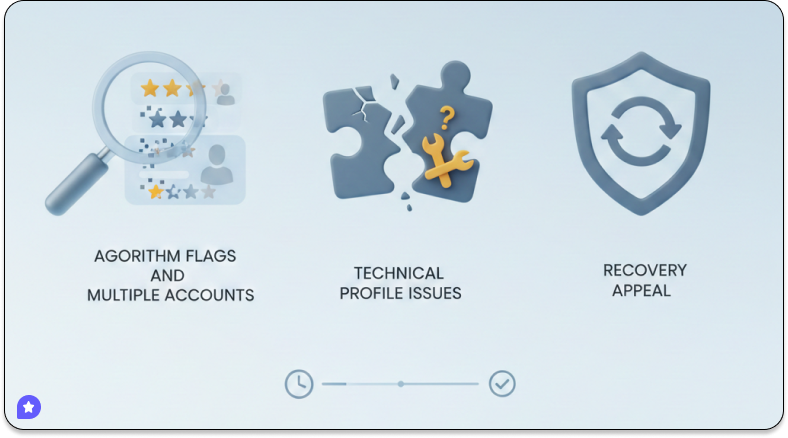
Reviews disappear when:
- Google’s algorithm flags them as suspicious
- Multiple reviews come from the same IP address
- Review patterns suggest artificial manipulation
- Technical or profile issues.
If reviews vanish after being public, follow these guidelines to attempt recovery:
Technical Glitch: Wait 3–5 Days. Google sometimes hides reviews during algorithm updates. They often reappear automatically.
Legitimate Removal: File an Appeal. Use the Google Business Profile Help Tool. Select your business -> “Ask the Community” or “Contact Support” -> select “Missing Reviews“. You must provide the reviewer’s name and, ideally, a screenshot.
Reviewer Deletion: No Fix. If a user deletes their Google account, all their past reviews are permanently deleted.
Filter False Positive: Ask for an Edit. If a loyal customer’s review is hidden, ask them to remove any links or non-standard characters and share or repost it.
Platforms like WiserReview can track review visibility, automatically collect reviews, and moderate them with auto-filters to keep your feed clean and trustworthy. Moreover, it helps you stay in full control by allowing you to approve, reject, or hide reviews.
All your reviews in one place
Collect reviews, manage every response, and display them where they matter most.
Start Free →Google review purge explained
You may have noticed a sudden drop in review counts. This is part of Google’s “purge” to sanitize its ecosystem.
- Targeting Incentivized Reviews: Google now actively surveys Local Guides, asking: “Did this business offer you a perk for this review?” If users say yes, all reviews for that business may be wiped.
- Retroactive Filtering: The AI is rescanning old reviews (even from years ago). “Legacy” reviews that lack modern verification signals (like location data) are being deleted in waves.
- The “Velocity” Trap: If you go from getting 1 review a month to 50 reviews in 3 days (e.g., after an email blast), Google’s fraud detection triggers a “cooldown” and hides the new reviews.
Editing Google reviews step-by-step
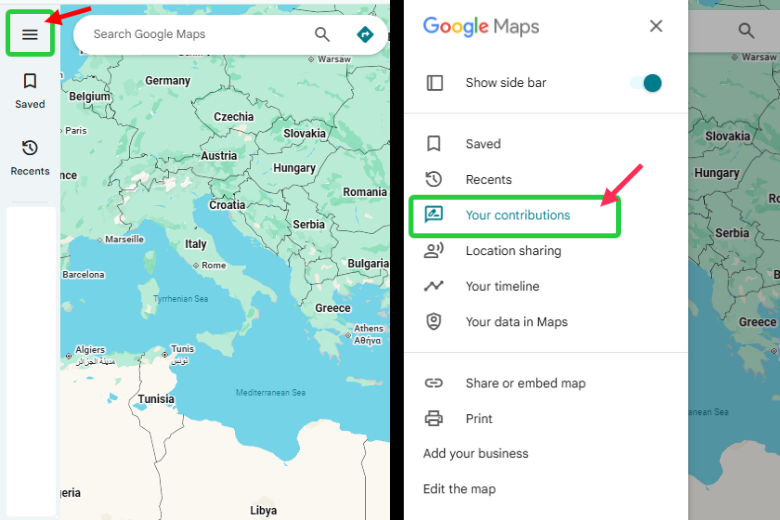
Only the original reviewer can edit their review. Business owners cannot edit customer reviews. If a customer’s issue is resolved, you can ask them to update their feedback.
- Open Google Maps.
- Click the Menu (three lines) or your Profile Icon.
- Select “Your contributions” and then the “Reviews” tab.
- Find the review you want to edit.
- Click the three-dot menu and select “Edit review.”
- Make changes and save.
Factors that prevent responding to Google reviews
Sometimes the “Reply” button disappears or doesn’t work. Common reasons include:
Unverified Profile: You must complete the Google Business Verification process before you can respond.
Account Permissions: Only Owners or Managers are authorized to reply. Check your “Users” settings in the dashboard.
Suspended Profile: If your business is under review or suspended for a policy violation, response capabilities are disabled.
Review under moderation: Reviews being reviewed by Google cannot be replied to yet.
Google Glitch: Occasionally, Google’s API undergoes maintenance. If the button is missing, try responding via the Google Business Profile mobile interface instead.
Google review policies, ethics, and risks

In 2026, Google’s review policies will be more strictly enforced than ever, as Google’s AI now uses review text as primary training data to recommend business names directly to users.
Google review policy for businesses
Google mandates that all reviews reflect genuine, first-hand experiences. Prohibited practices that trigger immediate penalties include;
- Review Gating: Selectively asking only happy customers for reviews, or using “funnels” to divert negative feedback, is strictly prohibited.
- Incentivized reviews: Reviews in exchange for money, discounts, or gifts may be removed.
- Off-topic or irrelevant content: Reviews that don’t relate to the business experience may be filtered.
- Insider Conflict: Reviews from current or former employees, or anyone with a financial interest in the business, are considered fake engagement.
Google review incentives explained
Google prohibits offering any compensation in exchange for a review, whether you request a positive or honest one.
- Prohibited Incentives: Discounts, free products, cash, or entries into high-value contests specifically for reviewers.
- Allowed Alternatives: You may include review requests in general loyalty programs or as part of a neutral thank-you process, provided the reward is not tied to leaving a review.
Risks of buying Google reviews
Buying reviews is a “high-risk, zero-reward” tactic due to advanced detection systems.
Profile Penalties: Google may impose a “review freeze” (blocking all new reviews), temporarily de-publish existing reviews, or permanently suspend the Google Business Profile.
Legal Consequences: The FTC (Federal Trade Commission) now imposes civil penalties of up to $51,744 per violation for businesses found to have purchased or disseminated fake reviews.
Public Warning Labels: Google has begun displaying visible warning labels on profiles flagged for fake engagement, directly alerting customers to the manipulation.
Are Google reviews still worth trusting in 2026?
Google reviews remain one of the most reliable review sources because of:
- Advanced spam detection algorithms
- Account verification requirements
- Public visibility of all reviews (no selective hiding)
- Business response capabilities
- Reviewer history transparency.
Reviews are still tied to real Google accounts even when posted with nicknames.
Consumers trust Google reviews because they see a balanced mix of positive and negative feedback. The platform’s scale and transparency make it harder to manipulate than smaller review sites.
Advanced Google review data and APIs
Developers and data analysts can access review data programmatically for custom integrations.
Google Business reviews API

This is the only official way for business owners to manage reviews at scale. It is part of the Google Business Profile API suite.
- Capabilities: Allows you to list all reviews, retrieve a specific review, and reply directly to reviews from your own software or CRM.
- Access Requirements: You must have a verified Google Cloud project and apply for specific API access levels.
- Data Structure: Provides the reviewer name, starRating, comment, reply, and createTime.
Google Maps reviews API
The standard Google Places API is consumer-facing and much more restrictive regarding reviews.
The “5-Review” Limit: For privacy and data protection, the official Places API only returns the 5 most helpful reviews for a location. You cannot use this API to fetch a business’s entire review history.
This API delivers the data in a structured format (like JSON) that apps, widgets, dashboards, and websites can use automatically.
In short, the Google Maps Reviews API enables systems to reliably and automatically retrieve Google review data for reporting, display, and analysis.
Safe API-based collection methods
To collect and manage reviews without risking a profile suspension, follow these “Safe-Path” protocols:
- OAuth 2.0 Authentication: Always use OAuth 2.0 to authorize your application. Never hard-code user credentials.
- Avoid Scraping: Using “Headless Browsers” (Puppeteer/Selenium) to scrape reviews violates Google’s Terms of Service. Google’s AI is highly effective at detecting scraping patterns and can “shadowban” the IP addresses involved.
- Webhook Integration: Use a management platform like WiserReview that supports authorized API hooks. This ensures that when a new review is posted, it’s pushed to your dashboard instantly and safely.
All your reviews in one place
Collect reviews, manage every response, and display them where they matter most.
Start Free →Final thoughts
Google reviews shape your business reputation, search visibility, and customer trust. The businesses winning in 2026 treat reviews as a core growth strategy, not an afterthought.
Start with the basics: verify your Business Profile, create a simple review request process, and respond to every review.
Then scale with automation, widgets, and strategic display. Focus on authentic experiences over perfect ratings.
WiserReview handles the technical complexity so you can focus on delivering great service. From automated collection to AI-powered responses to beautiful on-site widgets, everything you need is in one platform.
Your next customer is reading reviews right now. Make sure they find the social proof they need to choose you.
Frequently asked questions
Most businesses need at least 10–20 reviews to build trust. Steady monthly reviews matter more than hitting a fixed number.
No. You can only report reviews that break Google’s policies. The best option is to reply professionally and earn new positive reviews.
Most show up within minutes. Some may take up to 72 hours to be processed or filtered if flagged.
Businesses can see the reviewer’s public profile name and photo, but they cannot access private account details such as email or location.
Yes. Reviews support local rankings, add fresh content, and improve click-through rates.

Krunal