With WiserReview, you can automatically send your product reviews to Google Merchant Center (GMC) so they appear as star ratings and review snippets in Google Shopping.
Step 1: Get Your Feed from WiserReview
-
Log in to your WiserReview Dashboard.
-
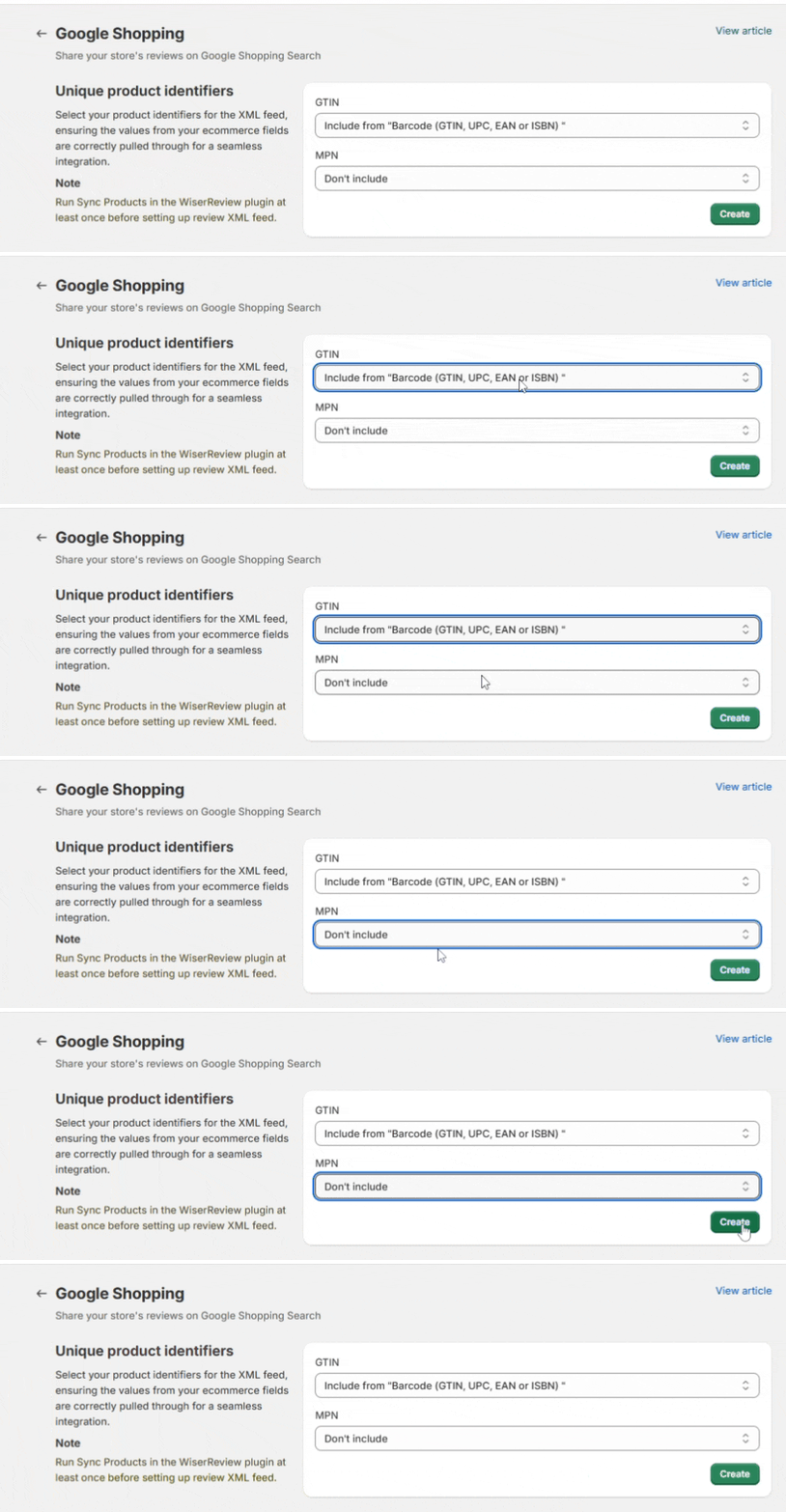
Go to Integration -> Syndication > Google Shopping

-
Create a connection →
WooCommerce only
- In your WiserReview WordPress plugin, go to Sync Products.
- Click Run Sync to import your WooCommerce product catalog into WiserReview.
Shopify, BigCommerce, Squarespace
- If our app is installed, product data is synced automatically.
- No manual action is required.
PrestaShop only
- Open the WiserReview PrestaShop module.
- Go to Sync Products.
- Click Sync Products to import your catalog.
Custom Ecommerce only
- Push your product data via API.
Detailed Guide:- Product Sync API at WiserReview
Under Unique product identifiers, you’ll see two dropdowns:
GTIN
-
Select one of:
-
Include from "Barcode (GTIN, UPC, EAN or ISBN)""(or other synced fields)Choose this only if your products use GTINs (like UPC or EAN codes)
-
This makes sure your product fields (GTIN, MPN, etc.) are accessible for XML feed mapping.
MPN
-
Typically mapped from your internal Product ID, unless you have a separate Manufacturer Part Number field.
Click “Create”
-
Once fields are set, click the green Create button.
-
This generates the Google Shopping XML Feed with all verified product reviews.
This is the link you’ll give Google to fetch your reviews.
Step 2: Add Feed in Google Merchant Center
1. Log in to your Google Merchant Center account.
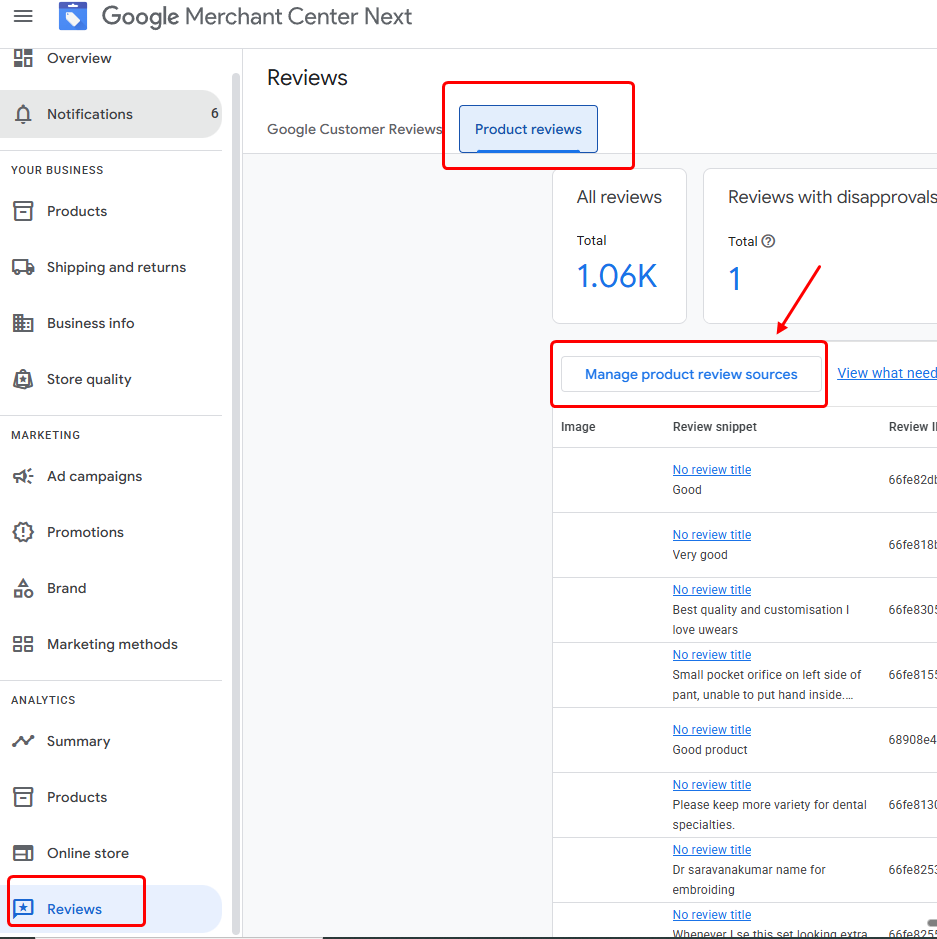
2. In the left menu, click Reviews → Product Reviews.
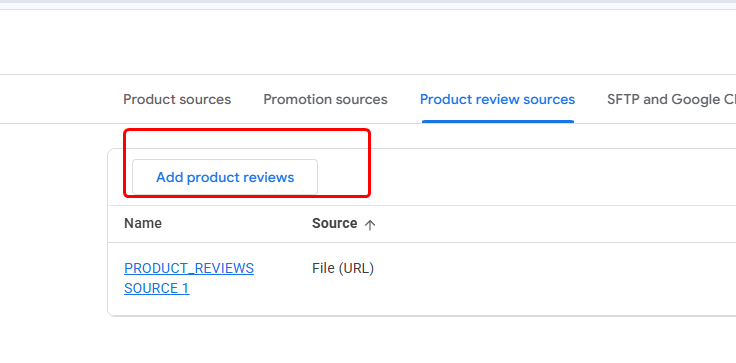
3. Click Manage product review sources → Add product reviews.
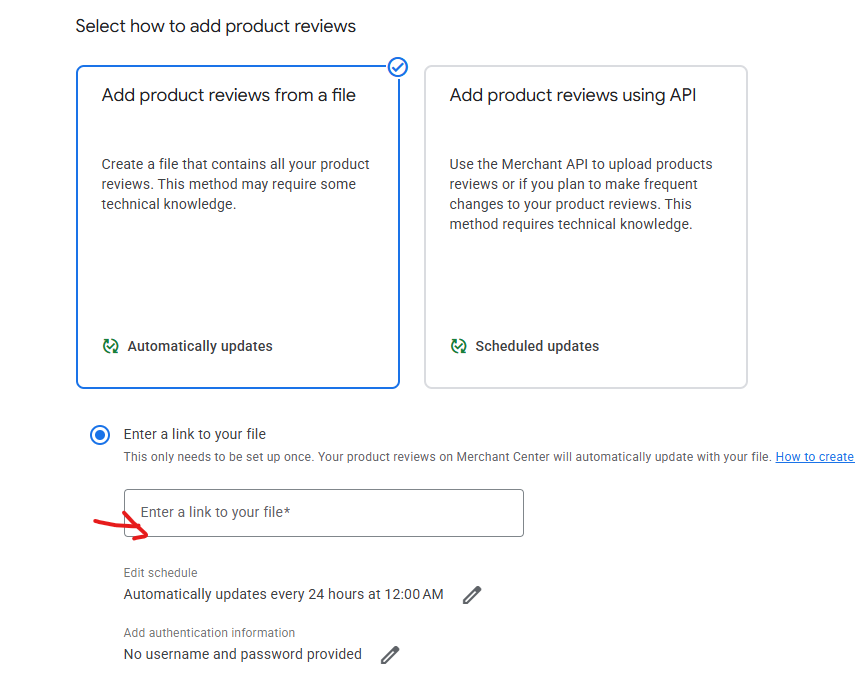
4. Choose Add product reviews from a file.
5. Select Enter a link to your file.
6. Paste the XML Feed URL you have created from above steps.
Step 3: Schedule Updates
-
Set the schedule to Automatically update every 24 hours (default recommended).
-
Save and complete setup.
-
Google will now fetch your WiserReview feed daily and update product ratings.
Reviews may take 2–3 weeks to appear in Google Shopping after approval.