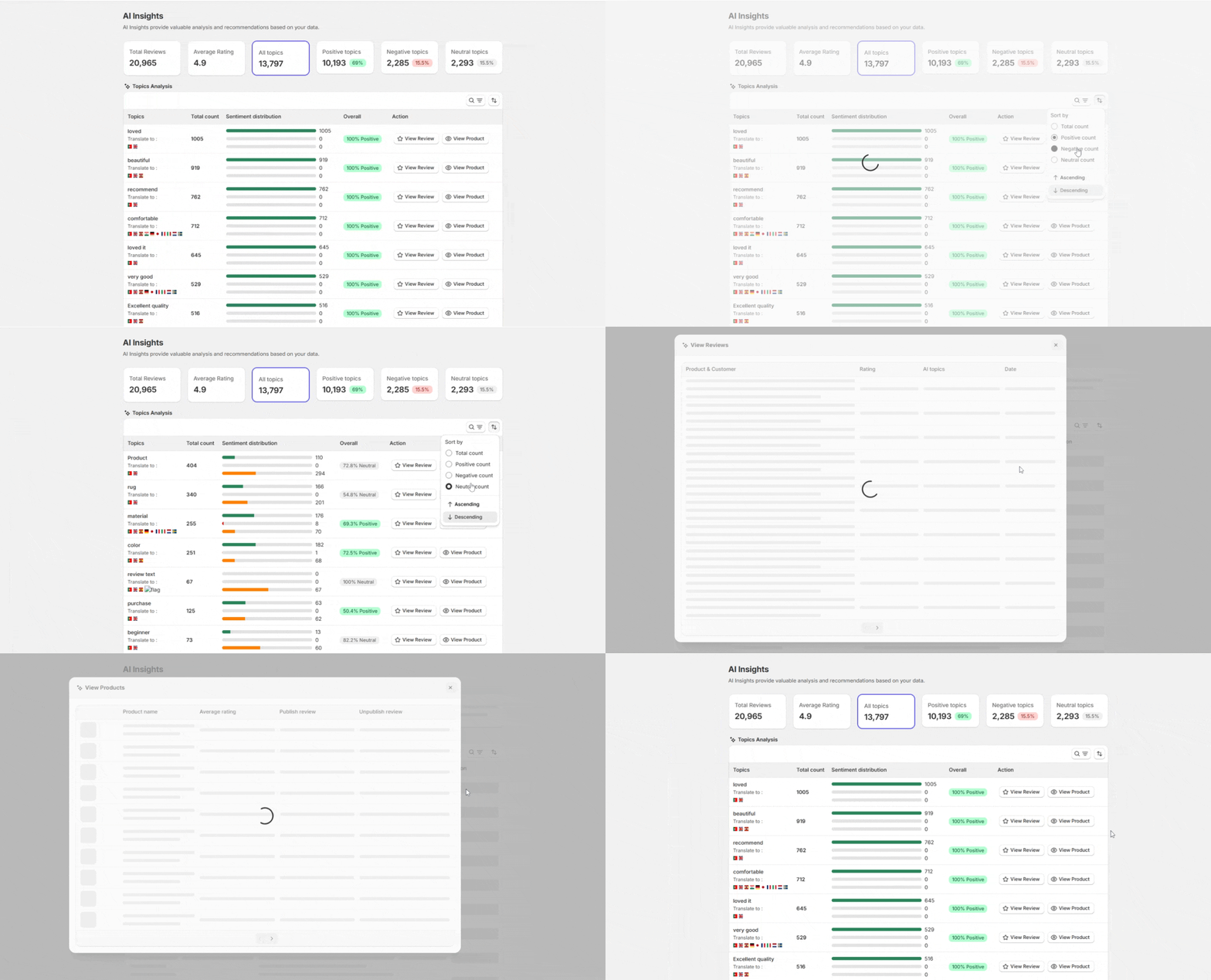
Topics Analysis reads all your reviews and groups repeated words and phrases into clear topics.
It shows what customers talk about most and how they feel about each topic.
This helps you spot strengths, issues, and buying signals without reading every review.
How to Use Topics Analysis (Step by Step)
Step 1: Open Topics Analysis
- Go to AI Insights → Topics Analysis in your dashboard.
Step 2: Filter Topics
Use the tabs to switch between:
- All topics
- Positive topics
- Negative topics
- Neutral topics
This helps you focus fast.
Step 3: Read Sentiment Distribution
The bar shows how customers feel about a topic.
- Green means positive
- Grey means neutral
- Red means negative
A fully green bar means strong approval.
Step 4: Open Real Reviews
- Click View Review to see the exact reviews behind a topic.
- This keeps insights grounded in honest feedback.
Step 5: Jump to Products
- Click View Product to see which product gets that topic.
- This helps with product-level decisions.