6 min
6 min 
Fake reviews can ruin trust fast. They confuse consumers, hurt your brand image, and sometimes impact your WooCommerce performance in search results.
Many shops experience a similar experience: all of a sudden, 5-star reviews start flooding in, vague reviews that do not relate to the product, or negative reviews like those placed there by competitors. Still, you can quickly catch and remove limited-quality reviews.
This guide will show you the distinct signs of fake reviews, how to identify and remove them from WooCommerce, and what you can do to prevent them from being posted again.
Why fake reviews are a serious problem
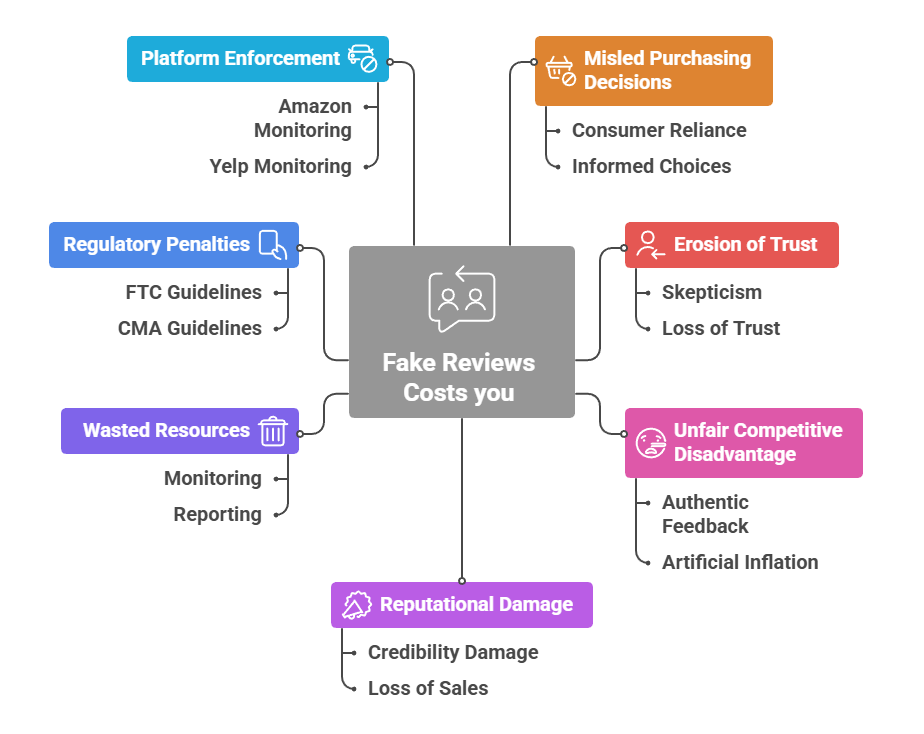
Fake reviews can be frustrating, but they are damaging to your small business. If potential customers cannot trust your reviews, they will not trust your products. Studies show that 54% of buyers won’t purchase a product if they think the consumer feedback is fake.
For small WooCommerce stores, even a handful of fake reviews can be devastating. Unlike Amazon or eBay, with millions of reviews to balance things out, your 10-20 product reviews carry enormous weight in buying decisions.
Understanding how fake reviews get into WooCommerce
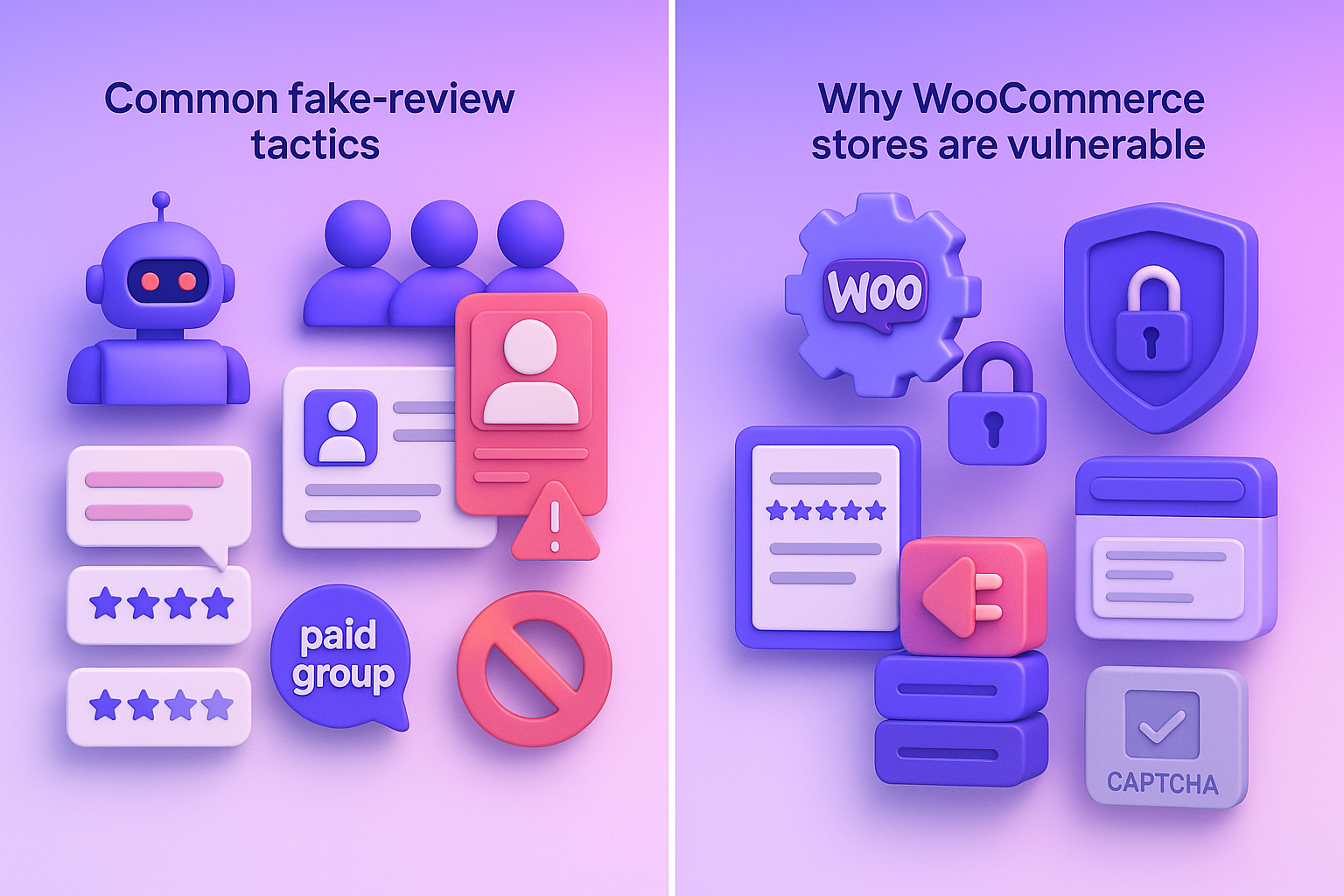
WooCommerce doesn’t have the same review verification systems as major platforms like Amazon or Trustpilot. This makes it both flexible and vulnerable.
Common fake-review tactics
People who post fake reviews often employ tactics that make their comments appear genuine. These are the most common methods you should watch for:
Paid review groups
Some sellers use WhatsApp or Telegram groups where people buy a product, leave a 5-star review, and get a refund or payout.
These reviews look genuine because they are based on real customer orders, but only in the sense that the customer actually bought the product – their review was just bought by the seller.
AI-written reviews
Tools can generate many polished reviews in seconds. They often sound similar, use generic stories, and have perfect grammar that doesn’t match real customer language.
Incentivized feedback
Offering free products, deep discounts, or gift cards in exchange for reviews leads to biased feedback. Even honest customers tend to write overly optimistic comments when rewarded.
Internal or manual additions
Admins or employees can add reviews from the WooCommerce dashboard back office, thereby bypassing genuine customer feedback and potentially inflating product ratings.
Bot-posted reviews
Automated scripts can flood review sections with repetitive comments or obscenely positive or negative ratings. These usually appear in a sudden, unnatural spike.
Competitor sabotage
Some competitors post fake negative reviews about your products to lower ratings and damage your brand. These comments tend to be vague, generic issues, or claims that don’t match your product at all.
Why WooCommerce stores are valuable
WooCommerce gives store owners a lot of control, but that also means the store is only as secure as the setup. These are the main reasons fake reviews slip in easily:
- Loose Default Settings: If you don’t have review verification turned on, anyone who’s logged in can leave a review without buying the product, which is just asking for trouble.
- Heavy Dependence on Plugins: Outdated or poorly built plugins can create security gaps that allow fake reviews or spam injections.
- Manual Review Entry: Admins can add reviews from the WordPress dashboard.
- Weak Anti-Bot Protection by Default: If store owners don’t install CAPTCHA or rate-limit plugins, bots can post fake reviews at scale.
- Owner-Managed Security: owners must update core files, plugins, and themes themselves.
- Open-source code: This is a big problem as it gives attackers a clear idea of how to target unpatched sites.

All your reviews in one place
Collect reviews, manage every response, and display them where they matter most.
Start Free →4 Signs of fake reviews you should watch for
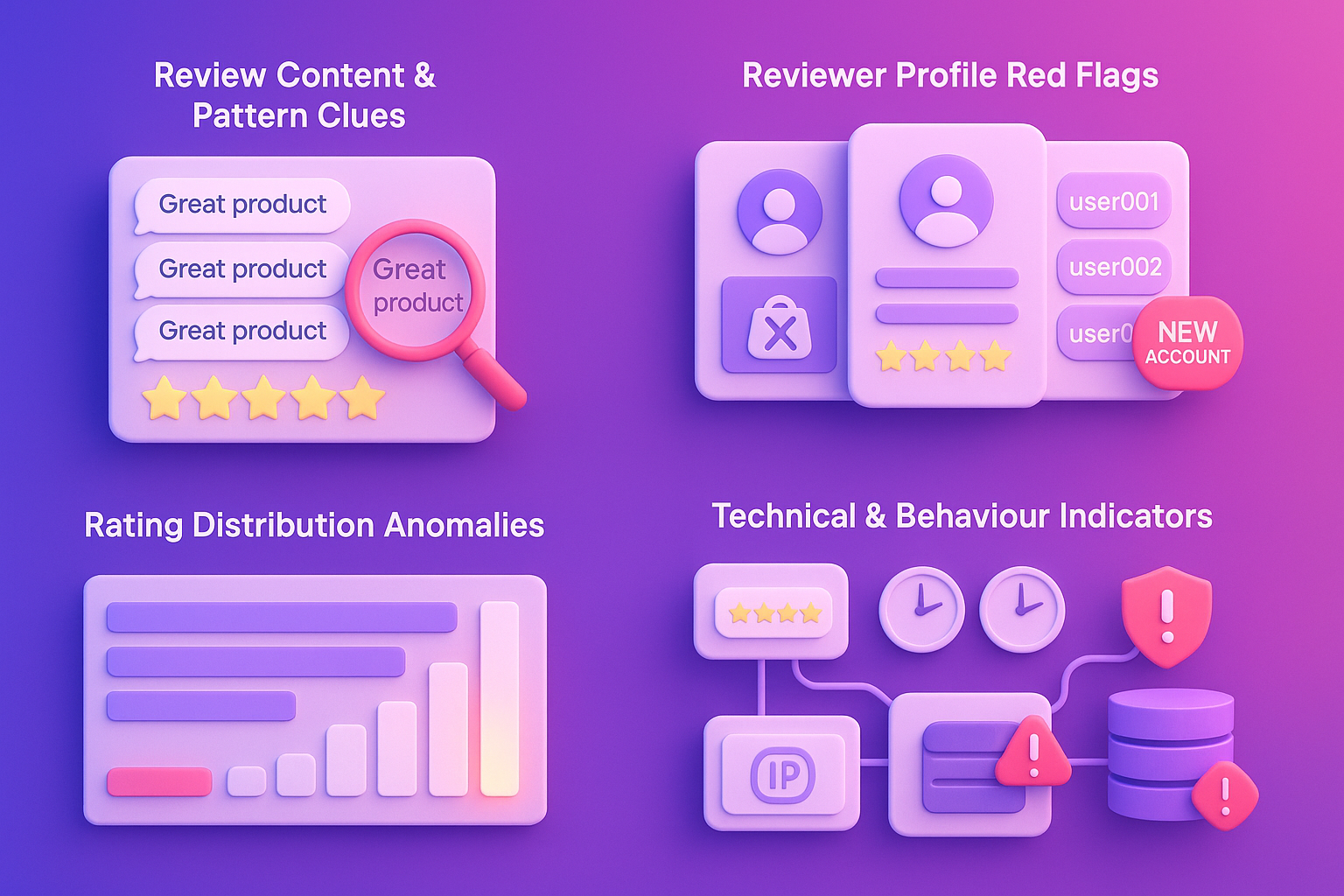
Fake reviews follow a predictable pattern. Train yourself to spot them before they damage your store’s credibility.
1. Review content and pattern clues
Fake reviews often share a similar writing style. They use vague comments, repeatable phrases, or praise that could fit any product. Many sound too polished, with perfect grammar and no real product details.
You may also notice sudden batches of reviews posted within minutes, all using a similar tone or wording. These patterns indicate that the reviews were not from genuine customers.
2. Reviewer profile red flags
A quick glance at the reviewer’s profile can reveal a great deal. Fake reviewers usually have;
- No purchase history: Profiles with reviews but zero orders
- New accounts: Multiple reviews from accounts created the same day
- Single-review accounts: Profiles created solely to leave one review
- Pattern usernames: Sequential names like “customer123,” “customer124”
- Missing details: Reviewers with no profile photo, location, or history
- Review-only activity: Accounts that have never bought anything but review constantly
3. Rating distribution anomalies
Genuine reviews show natural variation, but fake campaigns do not. If your product suddenly gets a significant spike in reviews overnight, shows only 5-star or only 1-star ratings, or gains more reviews than the traffic you receive, it’s a strong sign of manipulation.
There is no reason for any sudden surge in reviews or change in rating patterns without additional scrutiny.
4. Technical and behaviour indicators
The data from behind the scenes can help substantiate the fake activity. Reviews that all come from the same IP address, reviews with only unverified purchase badges, or review timestamps that are too close together indicate automation or coordinated posting.
Emails that cannot be matched to legitimate customer records also indicate fake accounts created solely for reviews.
How to remove or moderate fake reviews in WooCommerce
Once you’ve identified fake reviews, remove them immediately. WooCommerce provides several methods depending on your access level.
Step 1: Access your wordPress admin dashboard

Log in to your WordPress admin panel and navigate to Reviews: Go to Products → Reviews in your WordPress admin menu.
Step 2: Navigate to the reviews section
Go to Comments in the left sidebar. WooCommerce product reviews appear mixed with blog comments in this section. Filter by “Product” to show only product reviews.
Step 3: Identify fake reviews
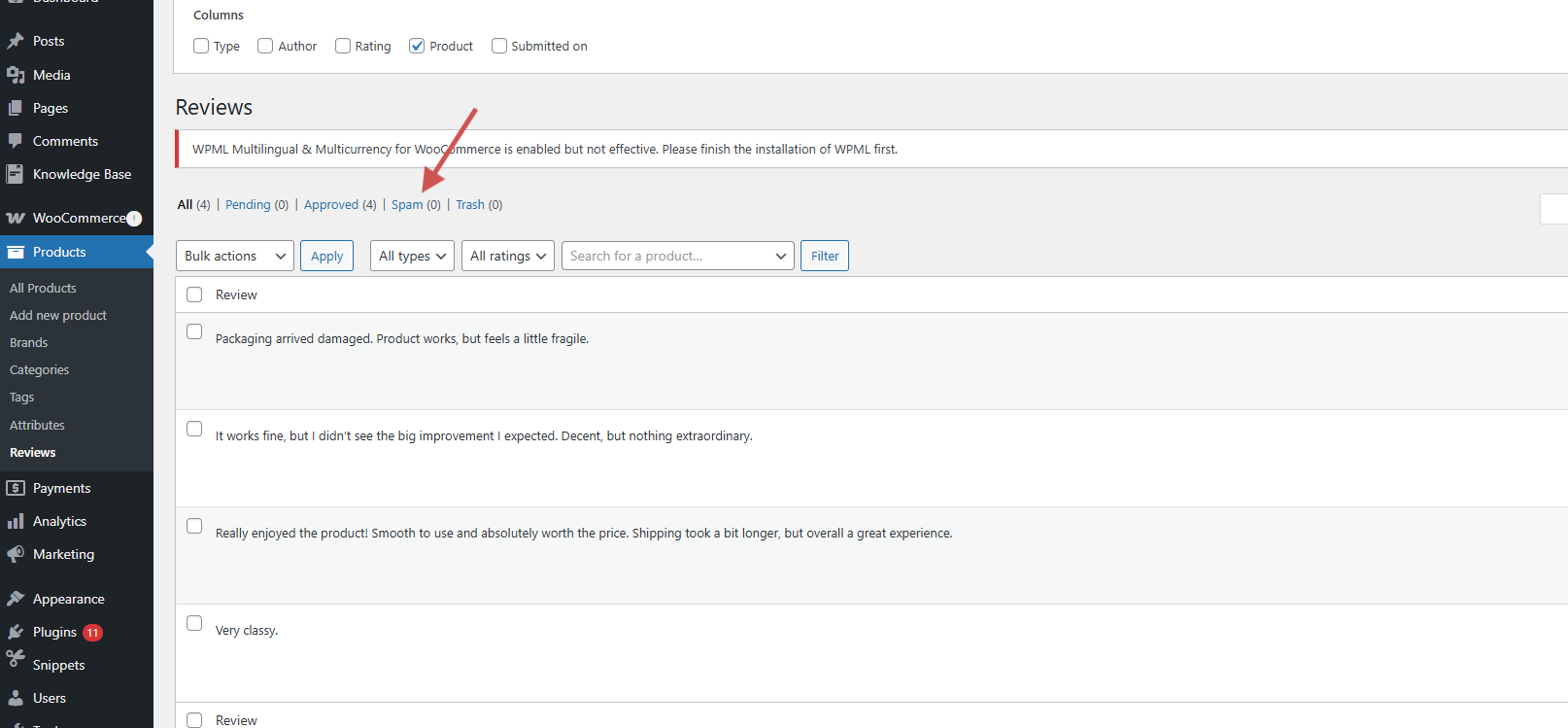
Use the search box to find suspicious reviewer names or keywords. Check for reviews that match the patterns described in the previous section. Click on the review to see full details, including IP address and email.
Step 4: Delete or spam individual reviews
Hover over the suspicious review. Click “Trash” to permanently remove it, or click “Spam” to mark it (this helps train spam filters). Click Unapprove if you want to keep it, but hide it from public view.
Additionally, Permanently Delete reviews from Trash by clicking the Trash link at the top of the Comments page, which displays all deleted reviews. Click Empty Trash to permanently remove them from your database.
Step 5: Enable “verified owner” only reviews (Recommended)
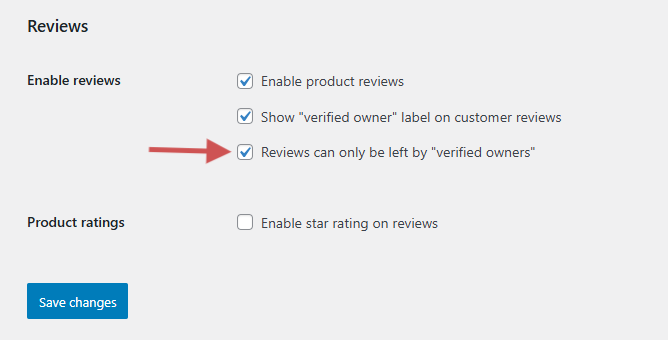
Go to WooCommerce → Settings → Products → Reviews and enable:
Reviews can only be left by verified owners. This stops accounts without purchases from posting.
WiserReview – Best WooCommerce review plugin

Dealing with fake reviews on WooCommerce becomes much easier when you use a system built to prevent them in the first place.
WiserReview provides you with verified reviews, clean data, and robust protection against bots, paid reviewers, and competitor sabotage. Every review request goes only to real customers, which keeps your store safe and your product ratings honest.
WiserReview also gives you complete control over what appears on your site. AI moderation blocks spam and harmful content before it reaches your dashboard, and smart filters help you quickly review, sort, and manage everything in one simple place.
Here are the key features that make WiserReview the best choice for WooCommerce stores:
- Automated verified collection: Review requests go out automatically after orders or sessions, ensuring only real customers receive invitations
- AI-powered moderation: Auto-block profanity, spam, and low-quality content using AI, which will hold low-rated reviews and auto-flag if content is deemed risky
- Smart Filters: You can filter reviews by star rating, media (photo/video), tags, or source, depending on what you want to focus on.
- Multi-channel Collection: Collect reviews via email, SMS, WhatsApp, and QR Codes, all verified 3rd-party sources.
- Central dashboard: See every review you’ve collected from any platform, all in one place
- Display control: Choose which reviews appear publicly while flagging suspicious ones privately

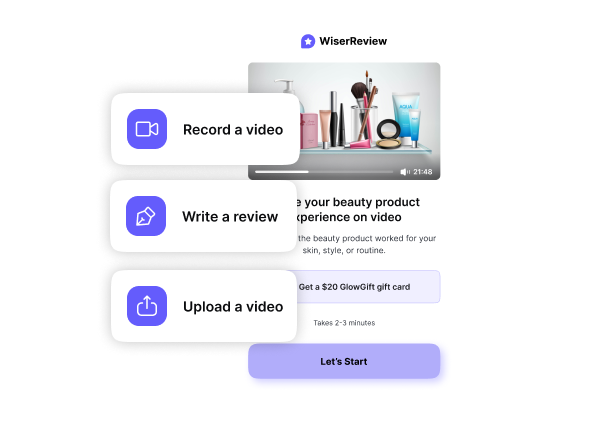

All your reviews in one place
Collect reviews, manage every response, and display them where they matter most.
6 Prevention strategies to stop fake reviews
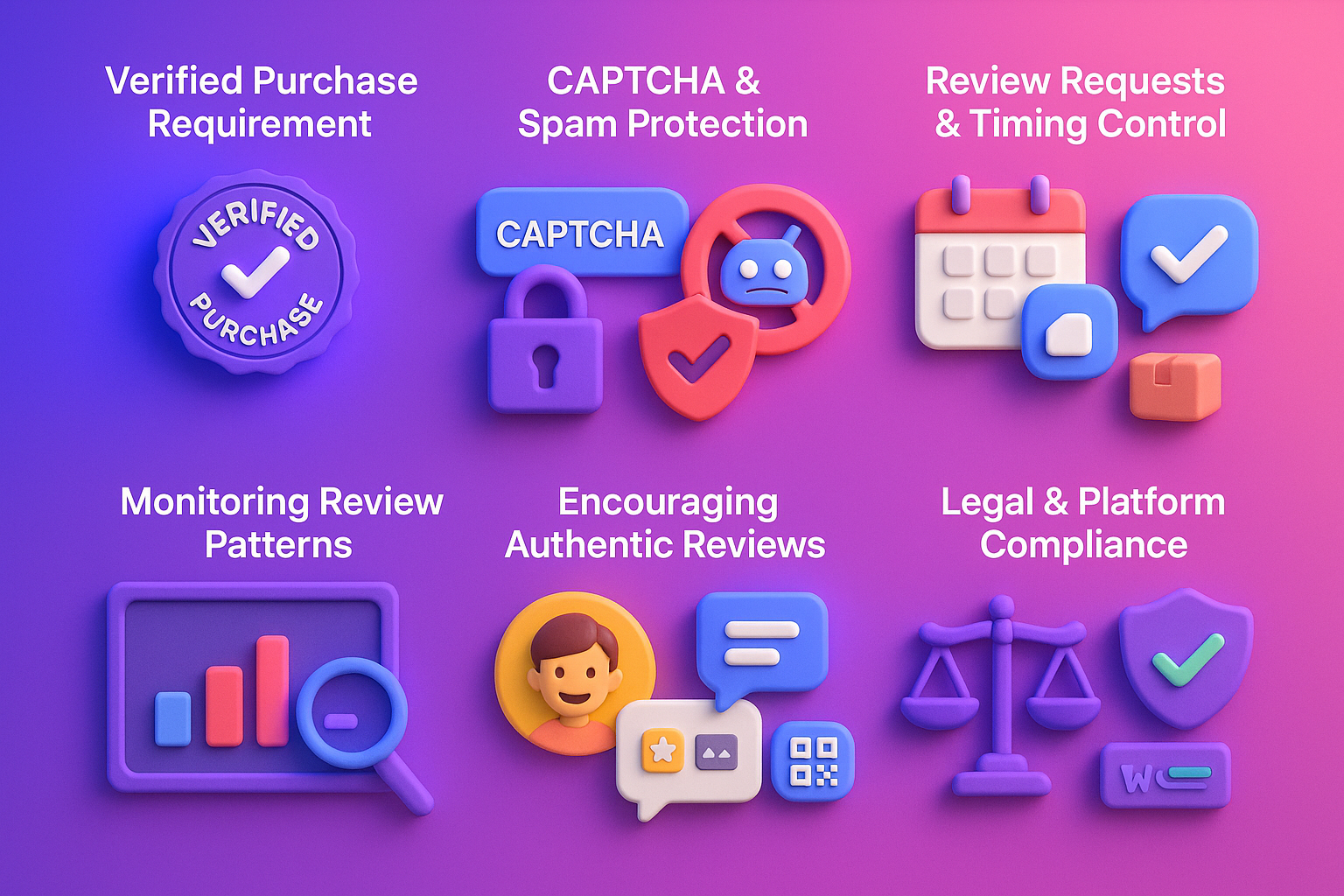
Prevention beats detection. Implement these strategies to make your WooCommerce store resistant to fake review attacks.
1. Require “verified purchase” badge
The strongest way to block fake reviews is to enable verified purchase reviews. WooCommerce lets you restrict reviews to customers who have actually purchased the product – eliminating random accounts, bots, and competitor posts.
For stores with multiple guest checkouts, pair this with automated review invitations to ensure only genuine customers receive the link to submit feedback.
2. Use CAPTCHA/spam block tools
CAPTCHA shields your review form from bots and automated scripts. By integrating reCAPTCHA into checkout and review forms, you reduce the risk of fake accounts, spam orders, or automated review submissions.
Invisible reCAPTCHA v3 is optimal because it blocks bots without adding friction for a legitimate customer.
3. Use review-invitation and timing control
Do not ask for reviews before the product is delivered, and the customer has had a reasonable time to use it. This will ensure that reviews are genuine and help mitigate the risk of negative reviews caused by shipping delays or issues unrelated to your product.
Best practices:
- Send first review request 3-7 days after delivery (gives time to use the product)
- Send a reminder after 14 days if no response
- Never ask before the product ships or arrives
- Segment timing by product type (skincare needs longer testing than accessories)
Tools like WiserReview handle timing automatically, sending initial requests and reminders, and collecting only verified reviews.
4. Monitor review velocity and patterns continuously
Tracking review activity helps you catch unusual behavior early. Look for spikes in review volume, reviews that exceed your order count, or patterns that don’t match customer traffic.
What to track:
- Reviews per day/week compared to order volume
- Ratio of reviews to site visitors
- Average time between purchase and review
- Geographic distribution of reviewers
- Peak review submission times
Action plan: Set up weekly alerts (via spreadsheet or analytics dashboard) that flag unusual spikes for immediate investigation.
5. Promote authentic reviews actively
The most effective way to cut down on fake reviews is to get a whole lot more genuine ones on the table. Make your review process as painless as possible by asking at the right time and using a variety of channels. You know, like via email or phone text, or even use one of those QR codes to streamline things.
Highlighting real photos and videos can encourage people to share their honest opinions.
6. Stay within legal and platform guidelines
Follow FTC rules, avoid incentivizing only positive reviews, and never hide or delete legitimate negative feedback. Keep WooCommerce, plugins, and security tools up to date to prevent exploitation.
WooCommerce best practices:
- Enable comment moderation to catch suspicious reviews before they publish.
- Install fraud-prevention plugins to score reviews and detect the likelihood of spam using information such as email addresses, IP addresses, and order history.
- Keep plugins updated, security patches often address review spam exploits
- Back up your database before making bulk review changes
Using transparent, honest review practices keeps your store compliant and avoids penalties on platforms like Google Shopping and Facebook.
All your reviews in one place
Collect reviews, manage every response, and display them where they matter most.
Start Free →Wrap up
Fake reviews are a complete nightmare; they can ruin everything you’ve worked for, your reputation, customer trust, and your bottom line. But with the right systems in place, you can keep your WooCommerce store looking clean and above board.
Now WiserReview handles this process for you by collecting only honest reviews, filtering out suspicious activity, and automating follow-ups, so you can focus on running your business.
With the right tools and some easy setup, you can have a steady supply of honest, high-quality reviews that’ll really help your business grow.
Frequently asked questions
It uses vague text, shows no product detail, appears in a burst, or comes from an account with no orders.
No, but you can block most by using verified purchases, CAPTCHA, moderation, and tools like WiserReview.
You may see fewer reviews at first, but the quality and trust improve. Sending automated review requests to confirmed buyers helps you maintain a steady flow of verified reviews.
Marking as spam trains filters. Deleting only removes it. Mark as spam first if you’re sure it’s fake.

Krunal